vScriptValCameraProjection
Rotates, shifts and scales points, then projects them to 2D with a perspective divide.
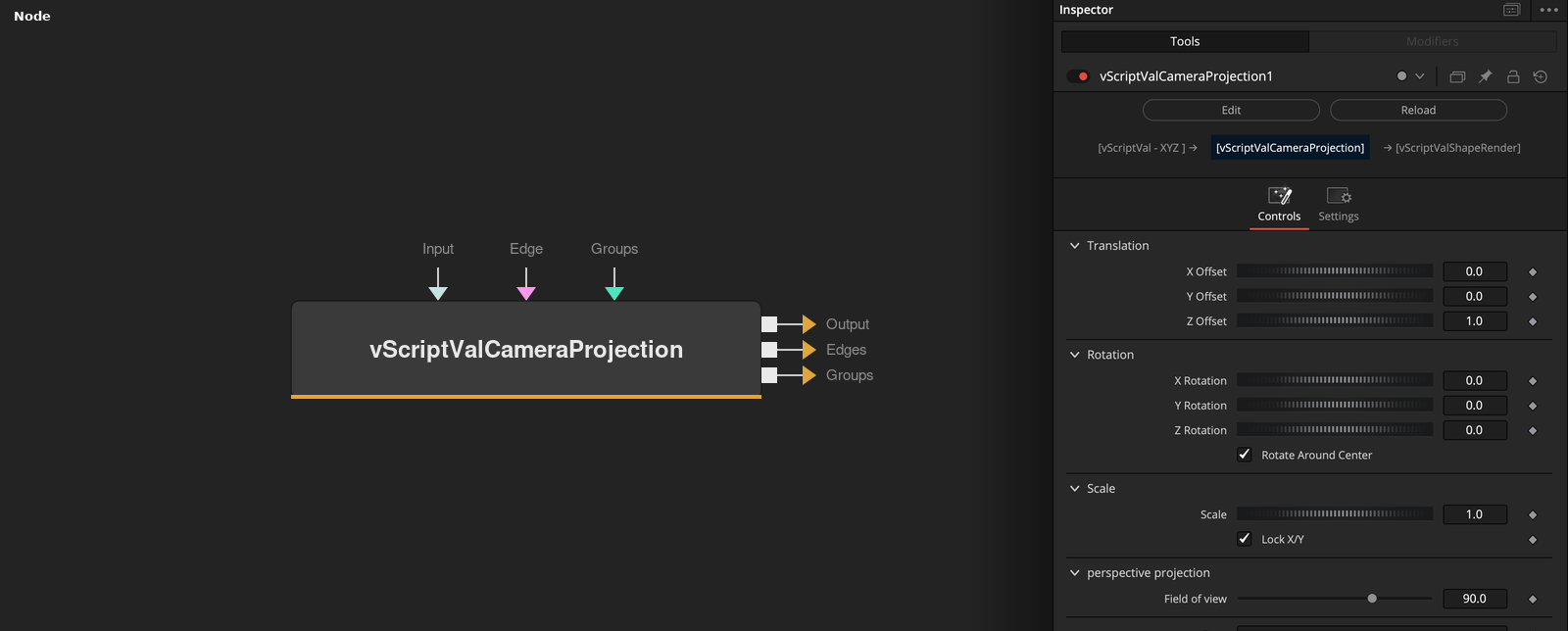
vScriptValCameraProjection takes an array of XYZ points and outputs 2D points. It also outputs an Edges array for the points and passes a Groups input through. The output feeds vScriptValShapeRender.
Parameters
| Parameter | Type | Default | Description |
|---|---|---|---|
| X Offset | Float | — | Added to the X value of every point before projection. Default 0. |
| Y Offset | Float | — | Added to the Y value of every point before projection. Default 0. |
| Z Offset | Float | 1.0 | Added to the Z value of every point before the divide by Z. Default 1. |
| Rotation Order | Dropdown | XYZ | Hidden control, not read by the code. The rotation order is always X, Y, Z. |
| X Rotation | Float | — | Rotation around X in degrees, slider to 360. Default 0. |
+17 more parameters
| Parameter | Type | Default | Description |
|---|---|---|---|
| Y Rotation | Float | — | Rotation around Y in degrees, slider to 360. Default 0. |
| Z Rotation | Float | — | Rotation around Z in degrees, slider to 360. Default 0. |
| Rotate Around Center | Integer | 1 | Rotates around the centroid of the points when on (default), around the origin when off. |
| Lock X/Y | Integer | 1 | When on (default), X Scale is used for both X and Y. Y Scale is shown when it is off. |
| X Scale | Float | 1.0 | Multiplies X and Z. Default 1. Also multiplies Y while Lock X/Y is on. |
| Y Scale | Float | 1.0 | Multiplies Y when Lock X/Y is off. Default 1. Hidden while it is on. |
| Field of view | Float | 90.0 | Field of view in degrees. Default 90. |
| Screen aspect ratio | Float | 16 / 9 | Hidden. Screen aspect ratio, default 16 / 9. It cancels out of the X result. |
| Near clipping plane | Float | 0.1 | Hidden. Near clipping plane, default 0.1. Read but not used in the projection. |
| Far clipping plane | Float | 1000 | Hidden. Far clipping plane, default 1000. Read but not used in the projection. |
| X Shear | Float | 0.0 | Hidden. Default 0. Read but not used. |
| Y Shear | Float | 0.0 | Hidden. Default 0. Read but not used. |
| Input | ScriptVal | — | Data to process. |
| Edge | ScriptVal | — | ScriptVal family. Optional edges. When connected, they are passed to the Edges output. |
| Groups | ScriptVal | — | ScriptVal family. Optional groups. Passed to the Groups output unchanged. |
| Auto Create Edges | Integer | 1 | When on (default) and no Edge input is connected, writes one edge through all points. Needs 2 or more points. |
| Close Edge Loop | Integer | 0 | Default off. When on, the generated edge returns to the first point. When off, it ends at the last point. |
Read the full description
Each point is rotated by X, Y and Z Rotation (degrees, in the order X, Y, Z) around the centroid of the points, or the origin if Rotate Around Center is off. Then X, Y and Z Offset are added, X Scale multiplies X and Z, and Y Scale multiplies Y.
With s = 1 / tan(fov / 2), the output is X = 0.5 + s * x / (2 * -z) and Y = s * y / (2 * -z) plus an offset from an internal reference image. A Z near 0 is replaced by a small number.
An Edge input is passed to the Edges output. Without one, Auto Create Edges (on) writes one edge through all points in order, and it returns to point 1 when Close Edge Loop is on. Groups pass through unchanged.
Example Connections
- Project a circle and draw it
- Draw the edges of a loaded mesh
vScriptValPointsOnCircle.Output -> vScriptValCameraProjection.ArrayA
vScriptValCameraProjection.Output -> vScriptValShapeRender.ArrayPoint
Background.Output -> vScriptValShapeRender.Input
vScriptValFromOBJ.Points -> vScriptValCameraProjection.ArrayA
vScriptValFromOBJ.Edges -> vScriptValCameraProjection.ArrayEdge
vScriptValCameraProjection.Output -> vScriptValShapeRender.ArrayPoint
vScriptValCameraProjection.Edges -> vScriptValShapeRender.ArrayEdge
Background.Output -> vScriptValShapeRender.Input