vScriptValRepeatTransform
Repeats an array in a line, circle, spiral or grid, with transforms spread across the copies.
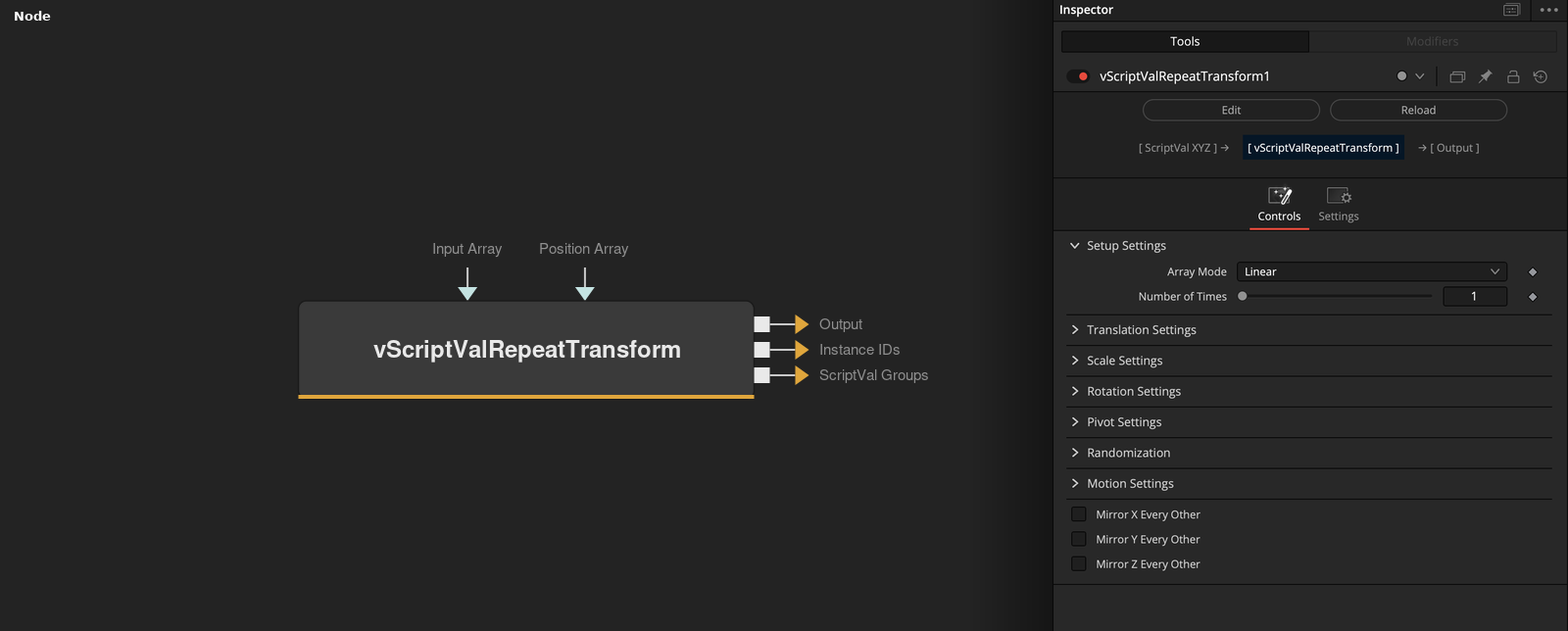
vScriptValRepeatTransform takes an array of XYZ points and outputs copies of it. Array Mode places the copies, and the Translate, Scale and Rotation controls change them from the first copy to the last. A second output holds the copy number of each point.
Parameters
| Parameter | Type | Default | Description |
|---|---|---|---|
| Array Mode | Dropdown | Linear | Linear (default), Circular, Spiral, Grid 2D or Grid 3D. |
| Number of Times | Integer | 1 | Number of copies in Linear, Circular and Spiral modes. Slider 1 to 100, default 1. |
| Radius | Float | 0.1 | Radius of the circle or spiral in XY. Slider 0 to 10, default 0.1. Shown for Circular and Spiral. |
| Spiral Height | Float | 0.1 | Rise on Z over all copies. Slider 0 to 10, default 0.1. Shown for Spiral. |
| Grid Columns (X) | Integer | 2 | Columns of the grid. Slider 1 to 20, default 2. Shown for the grid modes. |
+39 more parameters
| Parameter | Type | Default | Description |
|---|---|---|---|
| Grid Rows (Y) | Integer | 2 | Rows of the grid. Slider 1 to 20, default 2. Shown for the grid modes. |
| Grid Depth (Z) | Integer | 3 | Layers of the grid. Slider 1 to 20, default 3. Shown for Grid 3D. |
| Grid Spacing X | Float | 0.1 | Spacing along X. Slider 0 to 5, default 0.1. Shown for the grid modes. |
| Grid Spacing Y | Float | 0.1 | Spacing along Y. Slider 0 to 5, default 0.1. Shown for the grid modes. |
| Grid Spacing Z | Float | 0.1 | Spacing along Z. Slider 0 to 5, default 0.1. Shown for Grid 3D. |
| Translate X | Float | 0 | Total X translation reached at the last copy. Slider -10 to 10, default 0. |
| Translate Y | Float | 0 | Total Y translation reached at the last copy. Slider -10 to 10, default 0. |
| Translate Z | Float | 0 | Total Z translation reached at the last copy. Slider -10 to 10, default 0. |
| Scale X | Float | 0 | Added to the X scale factor of 1 at the last copy. Slider -1 to 1, default 0. |
| Scale Y | Float | 0 | Added to the Y scale factor of 1 at the last copy. Slider -1 to 1, default 0. |
| Scale Z | Float | 0 | Added to the Z scale factor of 1 at the last copy. Slider -1 to 1, default 0. |
| Rotation X | Float | 0 | Total rotation around X in degrees at the last copy. Slider -360 to 360, default 0. |
| Rotation Y | Float | 0 | Total rotation around Y in degrees at the last copy. Slider -360 to 360, default 0. |
| Rotation Z | Float | 0 | Total rotation around Z in degrees at the last copy. Slider -360 to 360, default 0. |
| Rotation Order | Dropdown | XYZ | Order in which the three rotations are applied, XYZ (default), YXZ, ZYX, XZY, YZX or ZXY. |
| Pivot X | Float | 0 | X of the pivot for rotation and scale. Slider -10 to 10, default 0. |
| Pivot Y | Float | 0 | Y of the pivot for rotation and scale. Slider -10 to 10, default 0. |
| Pivot Z | Float | 0 | Z of the pivot for rotation and scale. Slider -10 to 10, default 0. |
| Enable Random | Float | 0 | Turns on random variation per copy when on. Default off. |
| Random Seed | Integer | 0 | Integer, slider 0 to 1000, default 0. |
| Random Translate | Float | 0 | Random translation per copy, between minus and plus this value. Slider 0 to 5, default 0. |
| Random Rotate | Float | 0 | Random rotation per copy in degrees, between minus and plus this value. Slider 0 to 180, default 0. |
| Random Scale | Float | 0 | Random change of the scale factor per copy, between minus and plus this value. Slider 0 to 1, default 0. |
| Enable Shake | Float | 0 | Turns on the animated noise when on. Default off. |
| Position Amplitude | Float | 0.0 | Size of the position noise. Range 0 to 1, default 0. |
| Rotation Amplitude | Float | 0.0 | Size of the rotation noise, multiplied by 10 for degrees. Range 0 to 360, default 0. |
| Scale Amplitude | Float | 0.0 | Size of the scale noise. Range 0 to 1, default 0. |
| Frequency | Float | 1.0 | Frequency of the noise. Range 0.1 to 10, default 1. |
| Speed | Float | 0.0 | How fast the noise moves with the render time. Range 0 to 10, default 0. |
| Phase | Float | 0.0 | Start offset of the noise in degrees. Range 0 to 360, default 0. |
| Seed | Integer | 0.0 | Integer, range 0 to 1000, default 0. |
| Lag | Float | 0.0 | Smoothing of the shake over time. Range 0 to 1, default 0. |
| Cumulative Lag | Float | 0.0 | Smoothing where each copy follows the one before it. Range 0 to 1, default 0. |
| Reverse | Float | 0.0 | Makes each copy follow the one after it when on, with Cumulative Lag. Default off. |
| Mirror X Every Other | Float | 0 | Negates X for every second copy when on. Default off. |
| Mirror Y Every Other | Float | 0 | Negates Y for every second copy when on. Default off. |
| Mirror Z Every Other | Float | 0 | Negates Z for every second copy when on. Default off. |
| Input Array | ScriptVal | — | Points to repeat, or a flat list of numbers, three per point. |
| Position Array | ScriptVal | — | A flat list of numbers, three per copy, added to the copy positions. |
Read the full description
The copies are Number of Times in Linear, Circular and Spiral modes, and Grid Columns times Rows (times Depth for Grid 3D) in the grid modes. Circular puts copies on a circle of Radius in XY, Spiral adds a rise of Spiral Height over the copies, and the grid modes center a grid with the spacings. Translate, Scale and Rotation are totals reached at the last copy, with copy j getting the share j / (Number of Times - 1) of them.
Each copy is rotated around the Pivot in the Rotation Order, scaled by 1 + Scale * share, and moved. Random adds seeded offsets per copy, Shake adds smoothed noise over time, and Mirror negates every second copy. Position Array adds three numbers per copy. The Instance IDs output holds the copy number of each point, and ScriptVal Groups the points per copy.
Example Connections
- Repeat a shape in a circle and draw
- Use the groups to split the copies
vScriptValPointsOnRectangle.Output -> vScriptValRepeatTransform.InputArray
vScriptValRepeatTransform.Output -> vScriptValCameraProjection.ArrayA
vScriptValCameraProjection.Output -> vScriptValShapeRender.ArrayPoint
Background.Output -> vScriptValShapeRender.Input
vScriptValPointsOnCircle.Output -> vScriptValRepeatTransform.InputArray
vScriptValRepeatTransform.Output -> vScriptValCameraProjection.ArrayA
vScriptValRepeatTransform.ScriptValGroups -> vScriptValCameraProjection.ArrayGroups