vScriptValForEachIndexed
Offsets, scales, rotates or randomizes points by their index or group, with optional animation.
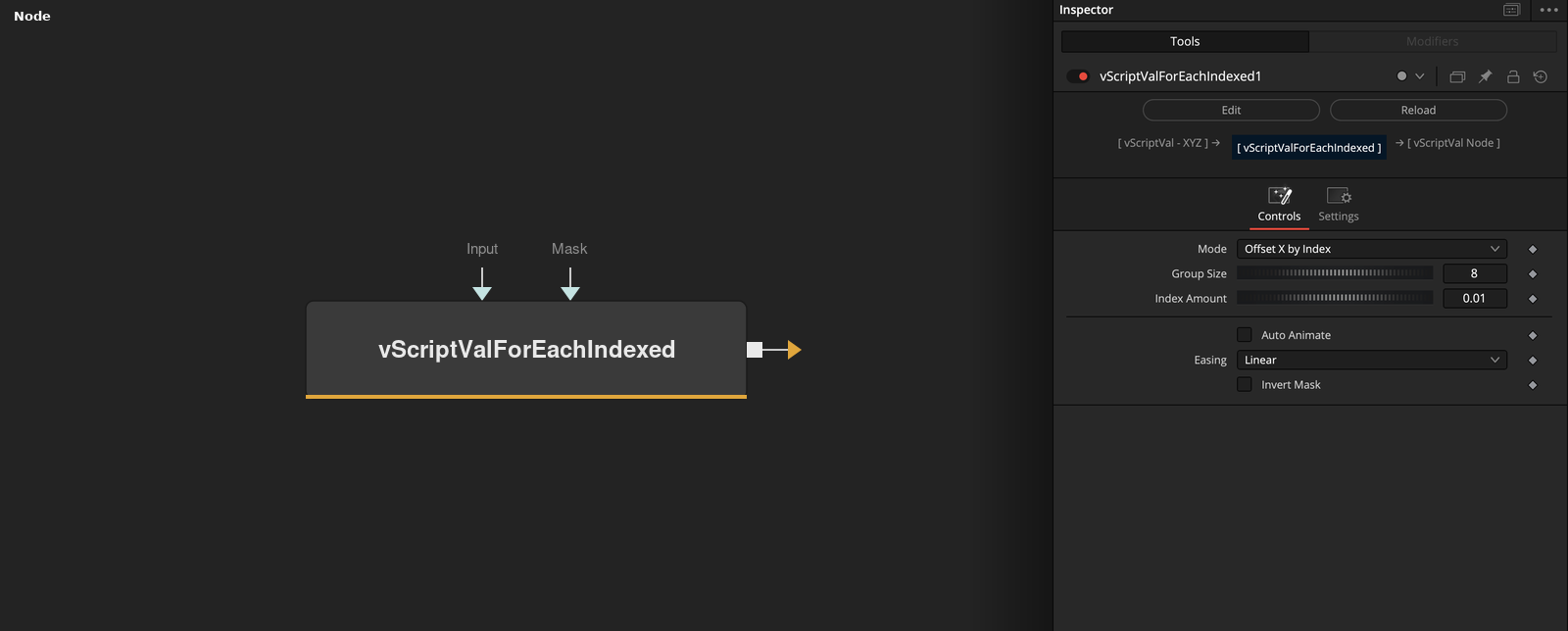
vScriptValForEachIndexed takes an array of XYZ points and applies one of 16 changes that depend on each point's index or group. Group Size cuts the array into groups, and Auto Animate scales the amounts over time.
Parameters
| Parameter | Type | Default | Description |
|---|---|---|---|
| Mode | Dropdown | Offset X by Index | One of 16 changes, default Offset X by Index. Offset X, Y or Z by Index, Offset X, Y or Z by Group, Scale by Index, Rotate X, Y or Z by Group, Random Offset X, Y or Z by Group, Random Offset X, Y or Z by Index. |
| Group Size | Integer | 8 | Points per group, used by the by-Group, Rotate and Random Offset by Group modes. Minimum 1, slider 1 to 128, default 8. |
| Index Amount | Float | 0.01 | Amount per point number, used by the by-Index offsets and Scale by Index. Default 0.01. |
| Group Amount | Float | 0.1 | Amount per group, used by the by-Group offsets and the rotations (degrees). Default 0.1. |
| Random Min | Float | -0.1 | Low end of the random range. Slider -10 to 10, default -0.1. Shown for the Random Offset modes. |
+9 more parameters
| Parameter | Type | Default | Description |
|---|---|---|---|
| Random Max | Float | 0.1 | High end of the random range. Slider -10 to 10, default 0.1. Shown for the Random Offset modes. |
| Auto Animate | Integer | 0 | Multiplies the amounts by an animation factor when on. Default off. |
| Speed | Float | 1.0 | Multiplies the render time. Slider 0.01 to 10, default 1. Shown when Auto Animate is on. |
| Duration (frames) | Integer | 30 | Length of one animation cycle in frames. Minimum 1, slider 1 to 240, default 30. Shown when Auto Animate is on. |
| Easing | Dropdown | Linear | Linear (default), Ease In, Ease Out, Ease In-Out or Ease Out-Back. Used by Off, Loop and Ping-Pong only. |
| Loop Mode | Dropdown | Off | Off (default, plays once), Loop, Ping-Pong, Step Mode (8 steps), Sine Wave, Triangle Wave or Sawtooth Wave. |
| Input | DATATYPE | — | Points to change. Input that does not start with a list is passed through. |
| Mask | DATATYPE | — | Optional numbers, one per point. A point is changed where the value is above 0. Missing entries count as 1. |
| Invert Mask | Integer | 0 | Changes the points where the mask is 0 or below instead. Default off. |
Read the full description
Mode selects one change. The Offset modes add the point number (counted from 0) times Index Amount (by Index), or the group number times Group Amount (by Group), to X, Y or Z. Scale by Index multiplies the point by 1 + the point number times Index Amount. The Rotate modes turn the point around X, Y or Z by the group number times Group Amount degrees.
The Random Offset modes add a value between Random Min and Random Max, taken from a fixed hash of the group or point number, so the result repeats. A Mask value above 0 applies the change to that point, and Invert Mask swaps the cases.
Auto Animate multiplies the amounts by a factor from the render time, Speed and Duration, using the Loop Mode and Easing curve.
Example Connections
- Stagger a grid by group and draw
- Apply the change to part of the points
vScriptValPointsOnGrid.Output -> vScriptValForEachIndexed.Input
vScriptValForEachIndexed.Output -> vScriptValCameraProjection.ArrayA
vScriptValCameraProjection.Output -> vScriptValShapeRender.ArrayPoint
Background.Output -> vScriptValShapeRender.Input
vScriptValPointsOnCircle.Output -> vScriptValForEachIndexed.Input
vScriptValLogicThreshold.Output -> vScriptValForEachIndexed.Mask
vScriptValForEachIndexed.Output -> vScriptValTranslate.Input