vScriptValClampToMeshProx
Moves points that are too far from, or too close to, the mesh vertices to a set distance.
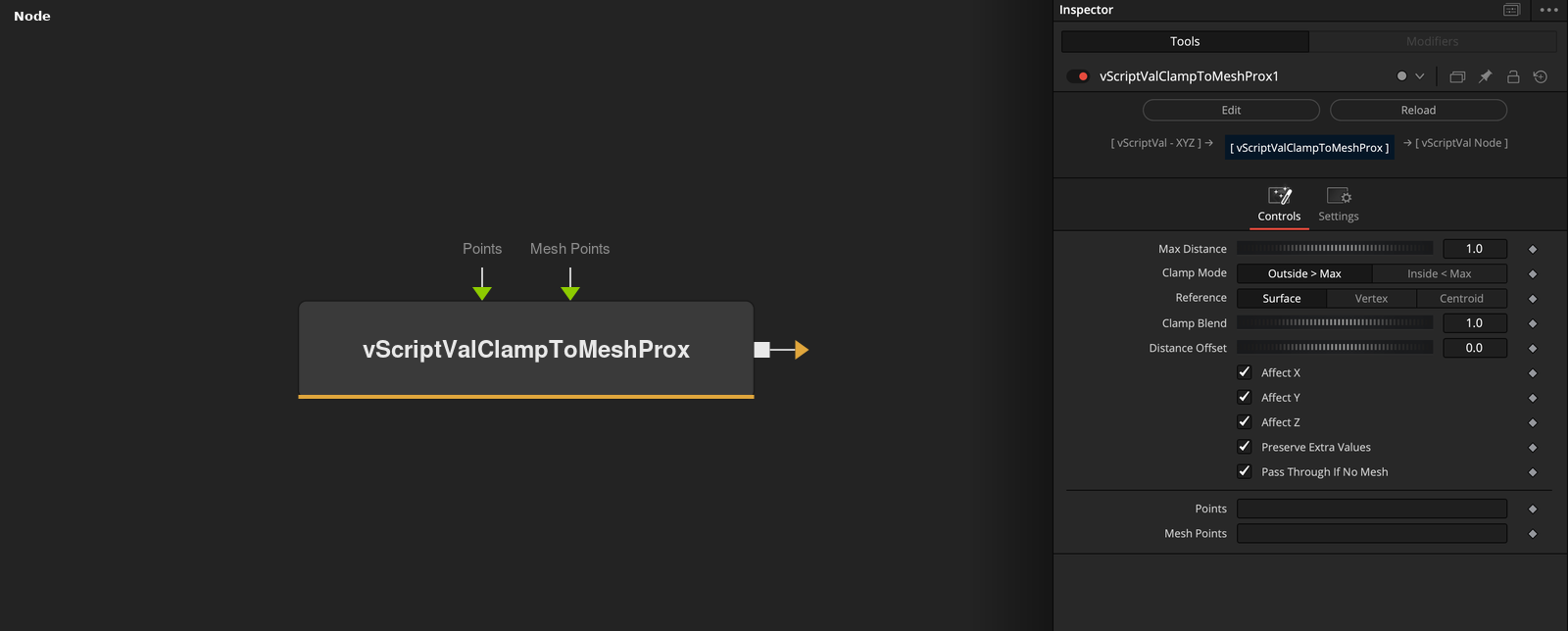
vScriptValClampToMeshProx takes an array of XYZ points and a mesh, and keeps each point at a set distance from its reference on the mesh. Clamp Mode picks whether it moves points outside or inside Max Distance.
Parameters
| Parameter | Type | Default | Description |
|---|---|---|---|
| Max Distance | Float | 1 | Distance that decides which points are clamped. Minimum 0 in the code, slider 0 to 2, default 1. |
| Clamp Mode | Dropdown | Outside > Max | Outside > Max (default) or Inside < Max. |
| Reference | Dropdown | Surface | Surface (default), Vertex or Centroid. Surface and Vertex measure to the closest Mesh Points vertex. Centroid measures to the closest average of a vertex and its 7 nearest neighbors. |
| Clamp Blend | Float | 1 | Mix between the original (0) and the clamped position (1). Range 0 to 1, default 1. |
| Distance Offset | Float | 0 | Added to Max Distance for the target distance. Slider -2 to 2, default 0. |
+7 more parameters
| Parameter | Type | Default | Description |
|---|---|---|---|
| Affect X | Float | 1 | X is clamped when checked (default), otherwise it keeps the input value. |
| Affect Y | Float | 1 | Y is clamped when checked (default), otherwise it keeps the input value. |
| Affect Z | Float | 1 | Z is clamped when checked (default), otherwise it keeps the input value. |
| Preserve Extra Values | Float | 1 | Copies values after the third to the output when on (default). |
| Pass Through If No Mesh | Float | 1 | Outputs the points unchanged when there is no mesh data, if on (default). When off, the output is empty. |
| Points | DATATYPE | — | Point positions. |
| Mesh Points | DATATYPE | — | Points of the mesh that the input is compared with. |
Read the full description
For each point the node finds the reference: the closest Mesh Points vertex (Surface and Vertex give the same result) or the closest patch point (Centroid), the average of a vertex and its 7 nearest neighbors. Outside > Max moves points whose distance is above Max Distance. Inside < Max moves points whose distance is below it. They are put on the line from the reference through the point at Max Distance + Distance Offset.
Clamp Blend (0 to 1) mixes between the original and the clamped position, and Affect X, Y and Z keep unchecked axes at their input value. Preserve Extra Values (on) copies values after the third. A point on its reference moves along the estimated normal in Surface mode and along +Z otherwise.
With no mesh data, Pass Through If No Mesh (on) outputs the points unchanged, otherwise the output is empty.
Example Connections
- Keep a grid within reach of a mesh and draw
- Clamp scattered points
vScriptValPointsOnGrid.Output -> vScriptValClampToMeshProx.ArrayPoints
vScriptValFromOBJ.Points -> vScriptValClampToMeshProx.MeshPoints
vScriptValClampToMeshProx.Output -> vScriptValCameraProjection.ArrayA
vScriptValCameraProjection.Output -> vScriptValShapeRender.ArrayPoint
Background.Output -> vScriptValShapeRender.Input
vScriptValRandom.Output -> vScriptValClampToMeshProx.ArrayPoints
vScriptValFromOBJ.Points -> vScriptValClampToMeshProx.MeshPoints
vScriptValClampToMeshProx.Output -> vScriptValTranslate.Input