vScriptValAttrTransfer
Copies scalar values from Source points to Target points and stores or applies them.
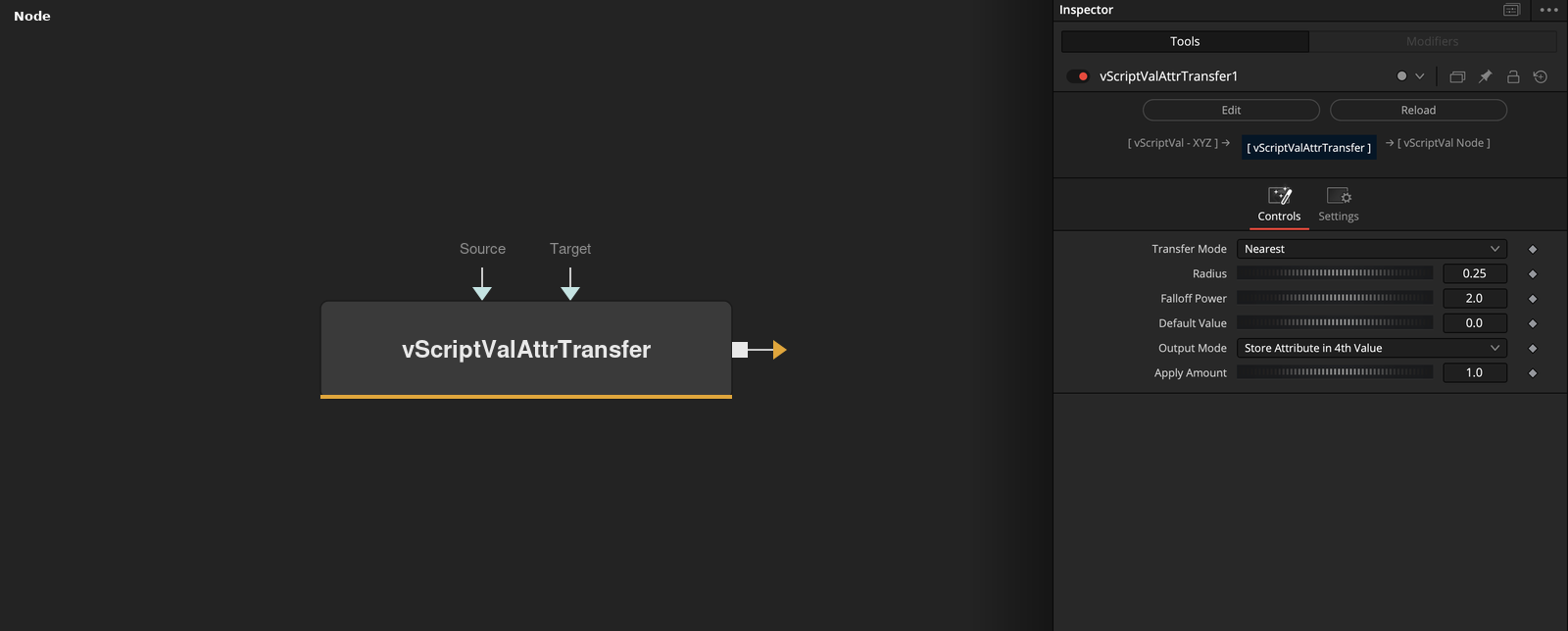
vScriptValAttrTransfer takes Source points that carry a value and Target points, and finds a value for every Target point. Transfer Mode chooses the nearest source point or a weighted average, and Output Mode chooses how the value is stored.
Parameters
| Parameter | Type | Default | Description |
|---|---|---|---|
| Transfer Mode | Dropdown | Nearest | Nearest (default) or Radius Weighted. |
| Radius | Float | 0.25 | Search radius for Radius Weighted. Minimum 0, default 0.25. |
| Falloff Power | Float | 2 | Exponent of the distance weight in Radius Weighted. Range 0.01 to 64, default 2. |
| Default Value | Float | 0 | Value used when no source point is found. Default 0. |
| Output Mode | Dropdown | Store Attribute in 4th Value | Store Attribute in 4th Value (default), Offset X, Offset Y, Offset Z, Offset XYZ, Replace XYZ, Replace X Only, Replace Y Only or Replace Z Only. |
+3 more parameters
| Parameter | Type | Default | Description |
|---|---|---|---|
| Apply Amount | Float | 1 | Multiplies the value in every output mode except the fourth-value store. Default 1. |
| Source | DATATYPE | — | Points that supply the values. A point's value is its fourth value, else its value field, else its X. |
| Target | DATATYPE | — | Points that receive the values. If it is empty or not connected, the Source points are used. |
Read the full description
For each Target point the node looks up a number in Source. A source point's number is its fourth value, else its value field, else its X. Nearest takes the number of the closest source point. Radius Weighted averages the numbers of all source points within Radius, each weighted by 1 / (distance + 0.000001) ^ Falloff Power.
If no source point is in range, or Source is empty, Default Value is used. If Target is empty or not connected, the Source points act as targets.
Output Mode stores the number as a fourth value, or multiplies it by Apply Amount and offsets or replaces X, Y, Z or all three axes with that one number.
Example Connections
- Transfer values between two arrays
- Store values on the target points and draw
vScriptValPointsOnGrid.Output -> vScriptValAttrTransfer.Source
vScriptValPointsOnCircle.Output -> vScriptValAttrTransfer.Target
vScriptValAttrTransfer.Output -> vScriptValCameraProjection.ArrayA
vScriptValAttrTransfer.Output -> vScriptValCameraProjection.ArrayA
vScriptValCameraProjection.Output -> vScriptValShapeRender.ArrayPoint
Background.Output -> vScriptValShapeRender.Input