vScriptValTranslate
Adds an XYZ offset to every point, then multiplies it by a scale.
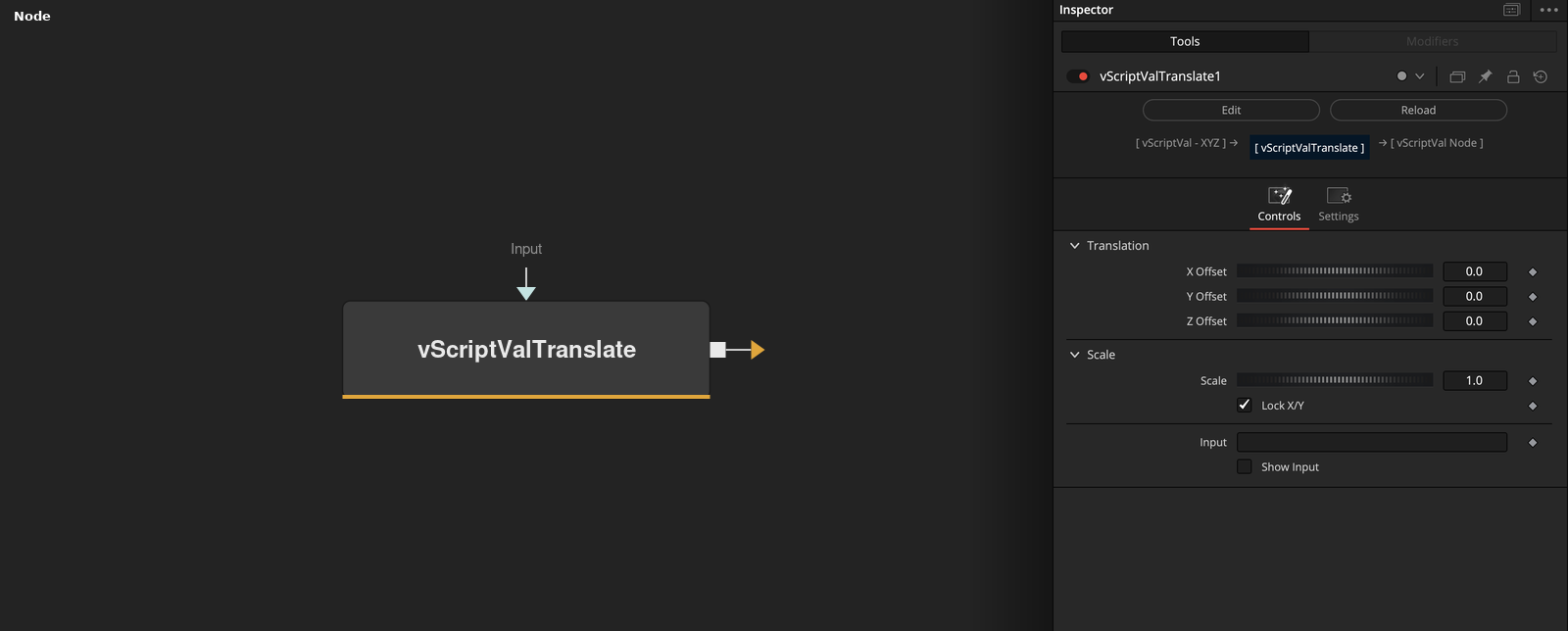
vScriptValTranslate takes an array of XYZ points and outputs (point + offset) * scale for each axis. X Scale is used for X and Z, and for Y while Lock X/Y is on. Y Scale is used for Y when Lock X/Y is off.
Parameters
| Parameter | Type | Default | Description |
|---|---|---|---|
| X Offset | Float | — | Added to X before the scale. Default 0. |
| Y Offset | Float | — | Added to Y before the scale. Default 0. |
| Z Offset | Float | — | Added to Z before the scale. Default 0. |
| Lock X/Y | Integer | 1 | When on (default), Y uses X Scale and Y Scale is hidden. When off, Y Scale is used for Y. |
| X Scale | Float | 1.0 | Multiplies X and Z after the offset. Default 1. Also multiplies Y while Lock X/Y is on. |
+3 more parameters
| Parameter | Type | Default | Description |
|---|---|---|---|
| Y Scale | Float | 1.0 | Multiplies Y after the offset when Lock X/Y is off. Default 1. Hidden while it is on. |
| Input | DATATYPE | — | Data to process. |
| Show Input | Integer | 0.0 | Shows the input ports of the offsets and scales when on. Default off. |
Read the full description
Each point becomes ((x + X Offset) * X Scale, (y + Y Offset) * Y Scale, (z + Z Offset) * X Scale). The offsets default to 0 and the scales to 1, so the default leaves the points unchanged. Because the scale is applied after the offset, it also scales the offset.
Lock X/Y is on by default. While it is on, Y Scale is hidden and Y uses X Scale. With it off, Y Scale scales Y on its own. Show Input exposes the offsets and scales as input ports. Elements that are not lists of at least 3 values are dropped, and the output points have 3 values.
Example Connections
- Reposition a grid and draw
- Move a circle after jitter
vScriptValPointsOnGrid.Output -> vScriptValTranslate.ArrayA
vScriptValTranslate.Output -> vScriptValCameraProjection.ArrayA
vScriptValCameraProjection.Output -> vScriptValShapeRender.ArrayPoint
Background.Output -> vScriptValShapeRender.Input
vScriptValPointsOnCircle.Output -> vScriptValPointsJitter.Input
vScriptValPointsJitter.Output -> vScriptValTranslate.ArrayA