vArrayTextWrap
Joins the text of an array and wraps it to a line length, as one string or as a list of lines.
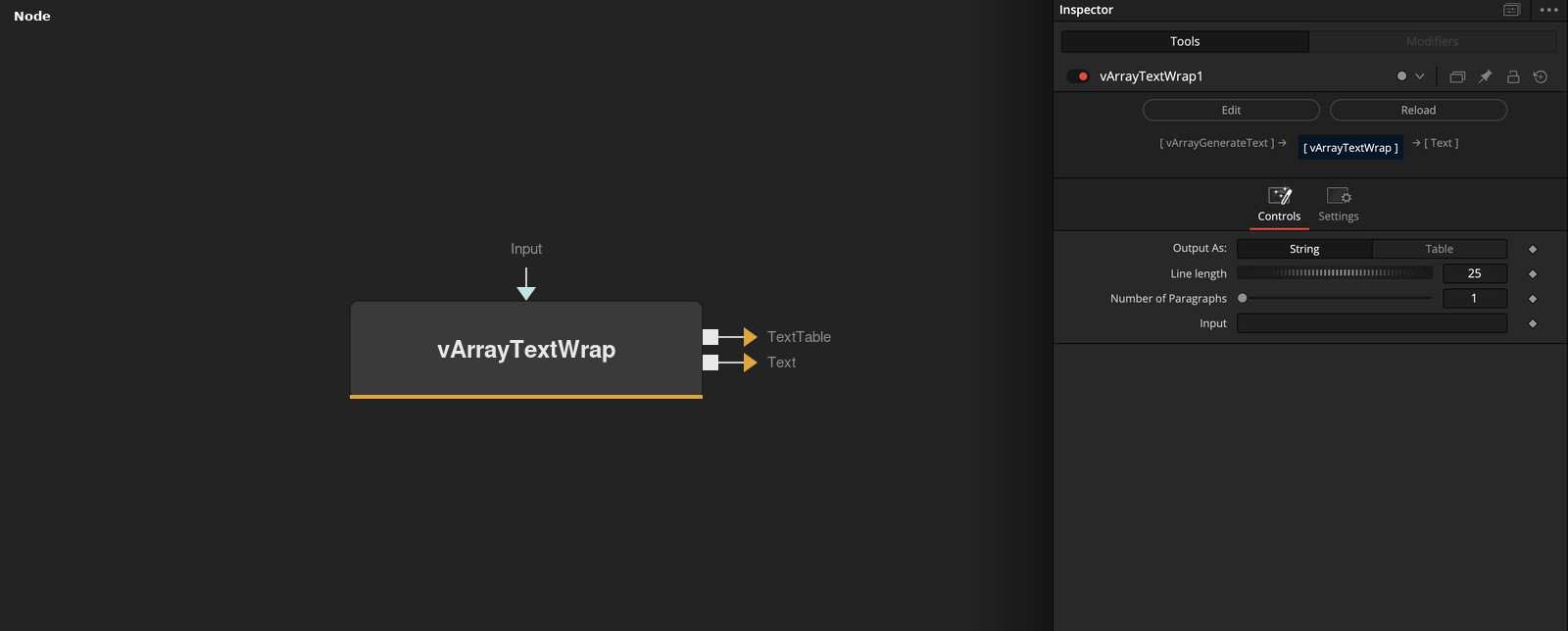
vArrayTextWrap takes an array of text pieces, joins them with spaces and wraps the result to Line length characters. Output As chooses a single string or a list of lines.
Parameters
| Parameter | Type | Default | Description |
|---|---|---|---|
| Output As: | Dropdown | String | String (default) gives one string with line breaks. Table gives a list of lines. |
| Line length | Integer | 25 | Largest number of characters in a line. Minimum 1, slider 1 to 100, default 25. |
| Number of Paragraphs | Integer | 1 | Number of paragraphs the words are divided into. Range 1 to 100, slider 1 to 10, default 1. |
| Input | DATATYPE | — | Array of text pieces, joined with spaces. |
Read the full description
The pieces of the input are joined with single spaces, split into words, and the words are placed on lines of at most Line length characters (default 25). A word longer than the line length is cut into pieces of that length. Number of Paragraphs (default 1) divides the words into that many groups of about equal size and puts an empty line between them.
The Text output always holds the wrapped lines joined by line breaks. With Output As Table the TextTable output holds the list of lines. With String, the default, TextTable holds the same string. Number of Paragraphs can be connected to another node.
Example Connections
- Wrap generated text
- Use the lines as a list
vArrayGenerateText.OutputValData -> vArrayTextWrap.Array
vArrayTextWrap.Text -> vArrayShapeText.Text
vArrayGenerateText.OutputValData -> vArrayTextWrap.Array
vArrayTextWrap.TextTable -> vArrayReverse.Input