vArrayProjectOnMesh
Moves each point to the closest mesh vertex, with an offset, a blend and a distance limit.
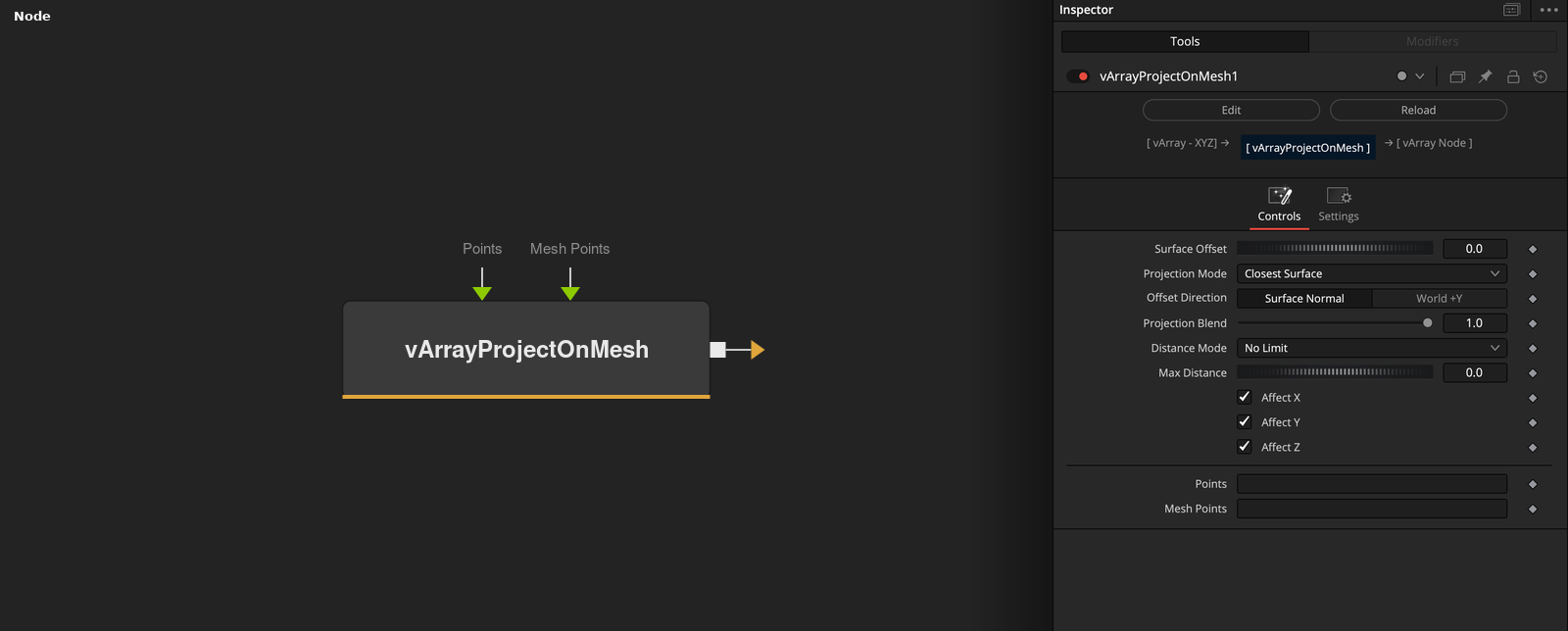
vArrayProjectOnMesh takes an array of XYZ points and a mesh, and moves each point to the closest Mesh Points vertex plus Surface Offset. Distance Mode can leave far points alone or limit the move.
Parameters
| Parameter | Type | Default | Description |
|---|---|---|---|
| Surface Offset | Float | 0 | Distance of the target from the vertex. Slider -1 to 1, default 0. |
| Projection Mode | Dropdown | Closest Surface | Closest Surface (default), Nearest Vertex or Face Center. All three find the closest vertex. |
| Offset Direction | Dropdown | Surface Normal | Surface Normal (default) or World +Y. The direction of the offset. |
| Projection Blend | Float | 1 | Mix between the point (0) and the target (1). Range 0 to 1, default 1. |
| Distance Mode | Dropdown | No Limit | No Limit (default), Hard Cutoff or Clamp. How Max Distance is used. |
+6 more parameters
| Parameter | Type | Default | Description |
|---|---|---|---|
| Max Distance | Float | 0 | Limit for Hard Cutoff and Clamp. Minimum 0, slider 0 to 5, default 0, which switches the limit off. |
| Affect X | Float | 1 | X comes from the result when checked (default), otherwise it keeps the input value. |
| Affect Y | Float | 1 | Y comes from the result when checked (default), otherwise it keeps the input value. |
| Affect Z | Float | 1 | Z comes from the result when checked (default), otherwise it keeps the input value. |
| Points | DATATYPE | — | Point positions. |
| Mesh Points | DATATYPE | — | Points of the mesh that the input is compared with. |
Read the full description
For each point the node finds the closest Mesh Points vertex. The target is that vertex plus Surface Offset along the estimated normal (Surface Normal) or along +Y (World +Y). Projection Blend (0 to 1, default 1) mixes between the point and the target. The three Projection Modes give the same result with this mesh data.
With Max Distance above 0, Hard Cutoff leaves a point where it is if the target is farther away than Max Distance, and Clamp moves it only up to that distance toward the target. No Limit ignores Max Distance. Affect X, Y and Z keep unchecked axes at the input value. Only the vertex list is used. If Points or Mesh Points is empty, the output is empty.
Example Connections
- Project a grid onto a loaded mesh and draw
- Project scattered points
vArrayPointsOnGrid.Output -> vArrayProjectOnMesh.ArrayPoints
vArrayFromOBJ.Points -> vArrayProjectOnMesh.MeshPoints
vArrayProjectOnMesh.Output -> vArrayCameraProjection.ArrayA
vArrayCameraProjection.Output -> vArrayShapeRender.ArrayPoint
Background.Output -> vArrayShapeRender.Input
vArrayRandom.Output -> vArrayProjectOnMesh.ArrayPoints
vArrayFromOBJ.Points -> vArrayProjectOnMesh.MeshPoints
vArrayProjectOnMesh.Output -> vArrayTranslate.Input