vArrayProject
Projects points onto a plane, a sphere or a cylinder, with a Blend amount.
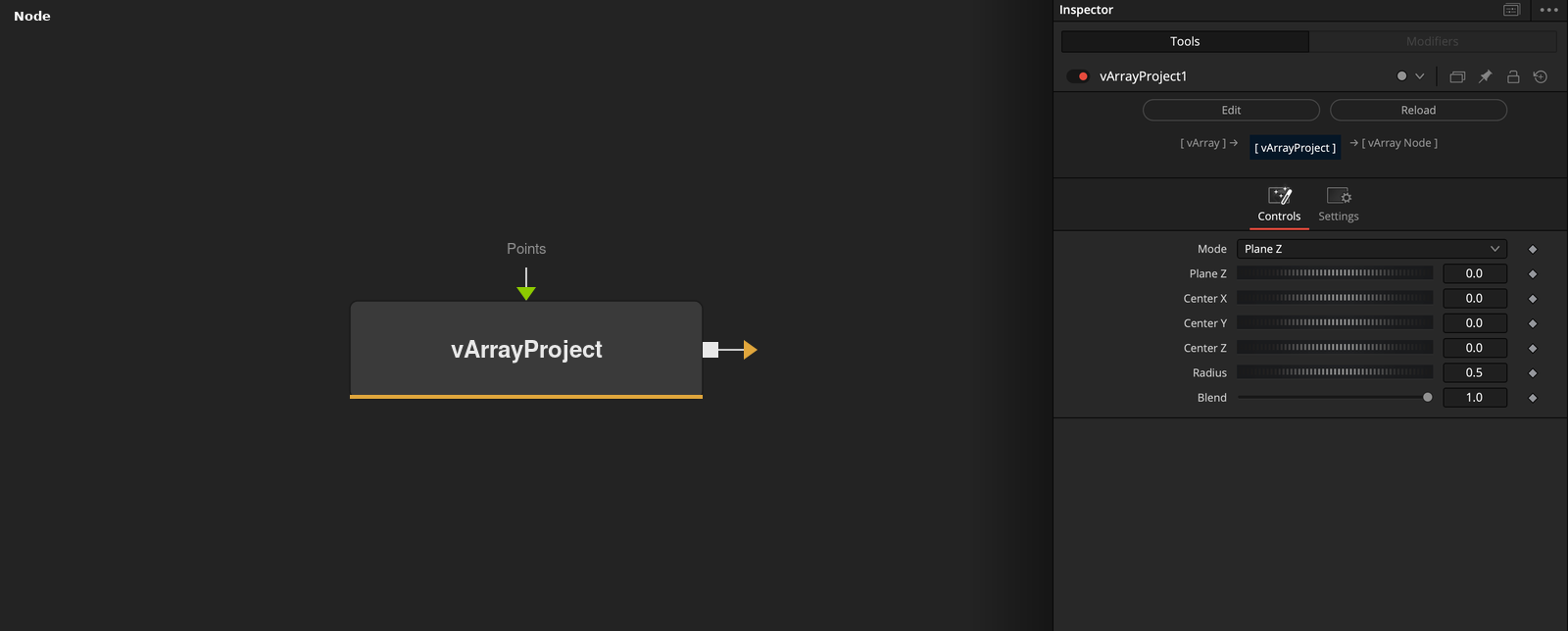
vArrayProject takes an array of XYZ points and moves each onto the shape chosen by Mode. Blend sets how far, from 0 (no move) to 1 (on the shape).
Parameters
| Parameter | Type | Default | Description |
|---|---|---|---|
| Mode | Dropdown | Plane Z | Plane Z (default), Sphere, Cylinder Z, Plane X, Plane Y, Cylinder X or Cylinder Y. |
| Plane Z | Float | 0 | Position of the plane in Plane Z, Plane X and Plane Y modes. Default 0. |
| Center X | Float | 0 | X of the center of the sphere or cylinder. Default 0. |
| Center Y | Float | 0 | Y of the center of the sphere or cylinder. Default 0. |
| Center Z | Float | 0 | Z of the center of the sphere or cylinder. Default 0. |
+3 more parameters
| Parameter | Type | Default | Description |
|---|---|---|---|
| Radius | Float | 0.5 | Radius of the sphere or cylinder. Minimum 0.000001, default 0.5. |
| Blend | Float | 1.0 | Mix between the original (0) and the projected position (1). Range 0 to 1, default 1. |
| Points | DATATYPE | — | Points to project. |
Read the full description
The plane modes set one coordinate to Plane Z: Plane Z sets Z, Plane X sets X and Plane Y sets Y. Sphere moves each point along the line from Center to a distance of Radius from Center. Cylinder Z, Cylinder X and Cylinder Y do the same around the Z, X or Y axis through Center, so the coordinate along the axis stays as it is.
Blend (0 to 1, default 1) mixes between the original and the projected position. A point that sits exactly at the center or on the axis is put on the +X side. Defaults are Plane Z 0, Center 0, 0, 0 and Radius 0.5. The output has 3 values per point. Input that is not a list of points is passed through.
Example Connections
- Project a grid onto a sphere and draw
- Flatten scattered points onto a plane
vArrayPointsOnGrid.Output -> vArrayProject.Points
vArrayProject.Output -> vArrayCameraProjection.ArrayA
vArrayCameraProjection.Output -> vArrayShapeRender.ArrayPoint
Background.Output -> vArrayShapeRender.Input
vArrayRandom.Output -> vArrayProject.Points
vArrayProject.Output -> vArrayTranslate.Input