vArrayReverse
Reverses the order of an array, or of a range of it, by index.
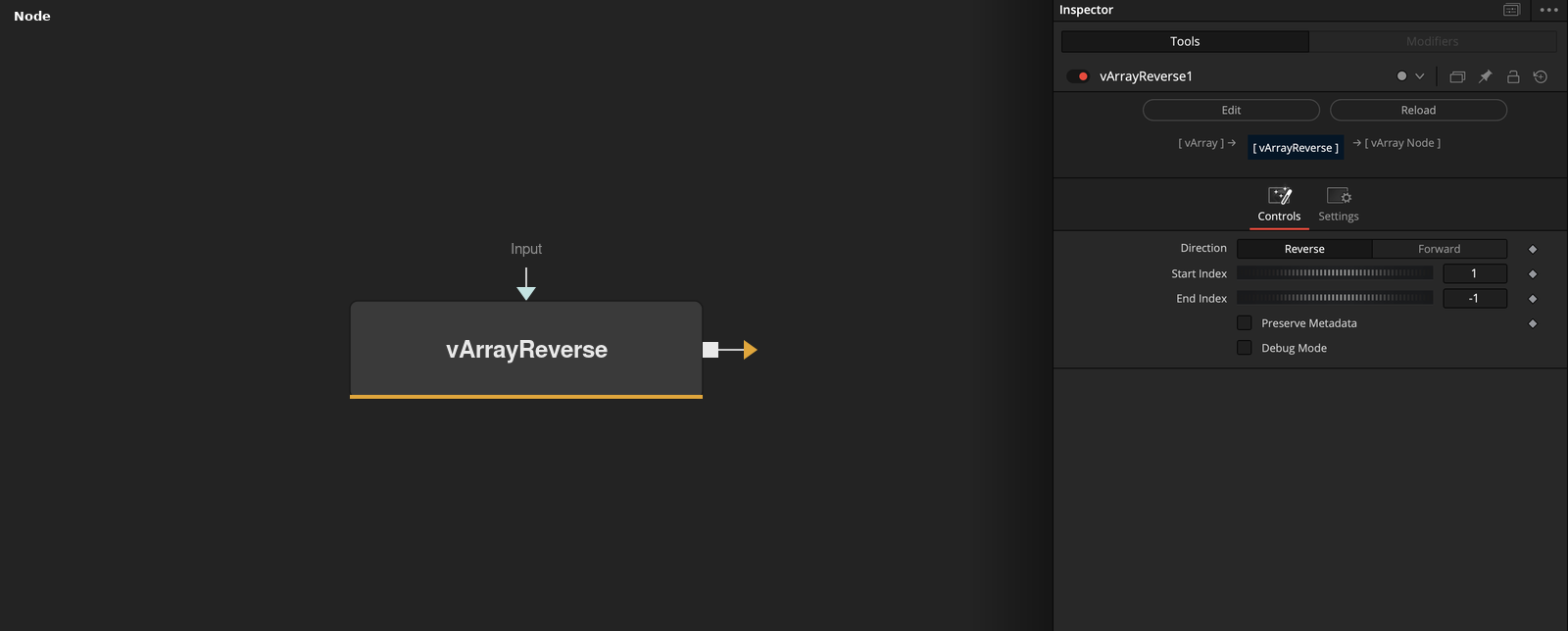
vArrayReverse takes an array of any elements and outputs it with the elements from Start Index to End Index in reverse order. Elements outside the range stay where they are.
Parameters
| Parameter | Type | Default | Description |
|---|---|---|---|
| Input | DATATYPE | — | Array to reverse. |
| Direction | Dropdown | Reverse | Reverse (default) writes the range backward. Forward writes it in its original order. |
| Start Index | Integer | 1 | First index of the range, counted from 1. Minimum 1, slider to 10, default 1. |
| End Index | Integer | -1 | Last index of the range. -1 means the last element. Minimum -1, slider to 10, default -1. |
| Preserve Metadata | Integer | 0 | When on, the keys of a wrapped input ({"array": ...}) other than array and size are copied to the output. In the ScriptVal and JSON versions this also writes the output as a wrapper. Default off. |
+1 more parameters
| Parameter | Type | Default | Description |
|---|---|---|---|
| Debug Mode | Integer | 0 | Prints the reversed range and the array length to the console when on. Default off. |
Read the full description
Start Index (default 1) and End Index (default -1, which means the last element) mark a range, counted from 1. With Direction Reverse, the default, the elements of the range are written in the opposite order, and the elements before and after the range are copied as they are. With Direction Forward the range is written in its original order, so the output equals the input.
The elements can be numbers, points or lists, and they are not changed. End Index is limited to the length of the array, and an End Index below 1 means the end. Preserve Metadata copies the keys of a wrapped input other than array and size to the output. Debug Mode prints the reversed range to the console.
Example Connections
- Reverse a path and draw it
- Reverse part of a list
vArrayPointsOnArc.Output -> vArrayReverse.Input
vArrayReverse.Output -> vArrayCameraProjection.ArrayA
vArrayCameraProjection.Output -> vArrayShapeRender.ArrayPoint
Background.Output -> vArrayShapeRender.Input
vArrayCreateRange.Output -> vArrayReverse.Input
vArrayReverse.Output -> vArrayMath.ArrayA