vArrayGenerateText
Generate an array of random text items, such as words, names, numbers, colors or lorem ipsum, from a seed.
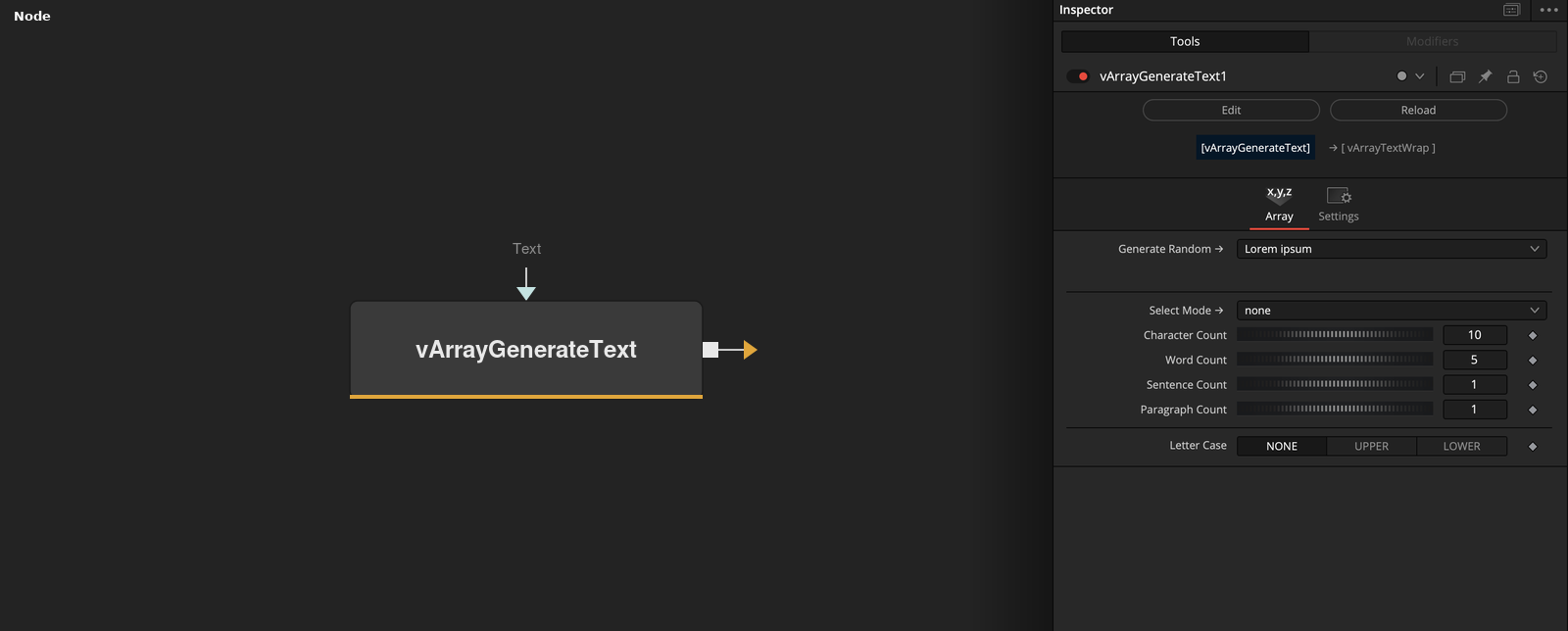
vArrayGenerateText outputs an array of text strings. Generate Random picks the kind of text, Array length sets how many items are made, and Seed makes the result repeatable. Lorem ipsum mode builds text of a chosen length instead.
Parameters
| Parameter | Type | Default | Description |
|---|---|---|---|
| Generate Random → | Dropdown | Lorem ipsum | Kind of text to generate. Default Lorem ipsum. |
| Array length | Integer | 1 | Number of items to generate. Hidden in Lorem ipsum mode. Minimum 0, default 1. |
| Seed | Float | 0 | Seed of the random generator. Hidden in Lorem ipsum mode. Default 0. |
| Select Mode → | Dropdown | none | Used by Lorem ipsum. Chooses characters, words, sentences or paragraphs, or none. Default none. |
| Character Count | Integer | 10 | Used by Lorem ipsum with Characters. Number of items, and length in characters of the longest. Minimum 0, default 10. |
+5 more parameters
| Parameter | Type | Default | Description |
|---|---|---|---|
| Word Count | Integer | 5 | Used by Lorem ipsum with Words. Number of items, and length in words of the longest. Minimum 0, default 5. |
| Sentence Count | Integer | 1 | Used by Lorem ipsum with Sentences. Number of items, and length in sentences of the longest. Minimum 0, default 1. |
| Paragraph Count | Integer | 1 | Used by Lorem ipsum with Paragraphs. Number of items, and length in paragraphs of the longest. Minimum 0, default 1. |
| Letter Case | Dropdown | NONE | Letter Case of every item, NONE, UPPER or LOWER. Default NONE. |
| Text | ScriptVal | — | Array of text items that Pick from input array chooses from. |
Read the full description
The node seeds a random generator with Seed and writes Array length items of the chosen kind. The kinds are None, Pick from the input array, Lorem ipsum, Bool, Character, Word, Letter, Vowel, several name types, Hash, three integer types, rgb, rgba, hsl and hsla values, ip, ipv4 and ipv6 addresses, Phone, Address, Street, String, Syllable and Shuffle. Color values are written as numbers separated by commas. Bool gives True or False, and Word is capitalized. Shuffle returns one item from a fixed list of letters and digits. None gives an empty array.
Pick from input array chooses a random item from the array connected to the Text socket, once for each output item.
Lorem ipsum, the default, ignores Array length and Seed and shows Select Mode with four count controls instead. Characters writes Character Count items with 1, 2, 3 and so on up to that many characters. Words, Sentences and Paragraphs do the same with Word Count, Sentence Count and Paragraph Count. Select Mode none, the default, gives an empty array.
Letter Case then changes every item to upper case or lower case, or leaves it unchanged. With the defaults the output is empty, so choose a Select Mode or another kind of text first.
Example Connections
- Pick random items from a list
- Generate text and write it as XYZ text
vArrayRandom.Output -> vArrayGenerateText.Text
vArrayGenerateText.OutputValData -> vArrayToXYZ.ArrayA