vArrayCircularPoints
Generate points on a circle or a spiral from a radius, a segment count, a number of rounds and per-point offsets.
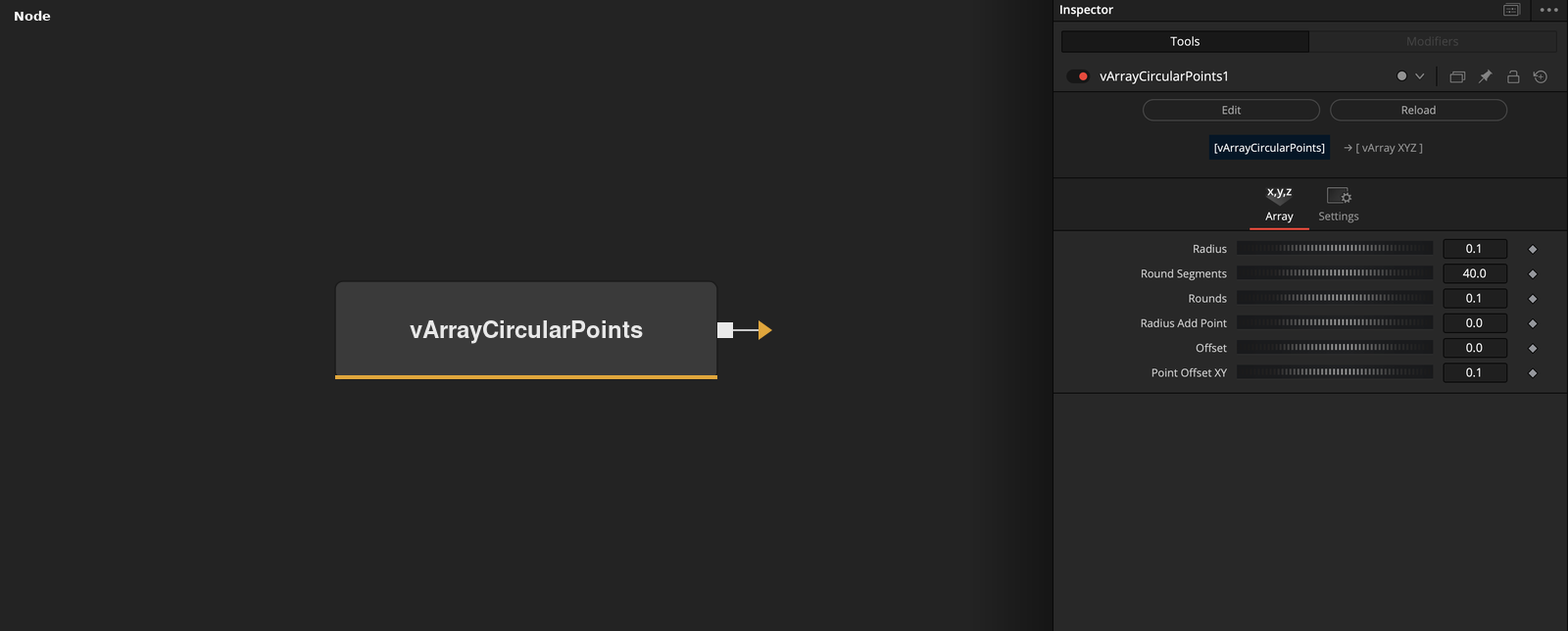
vArrayCircularPoints has no input and outputs an array of XYZ points placed around the Z axis. Round Segments and Rounds set the point count, and the offset controls turn the circle into a spiral.
Parameters
| Parameter | Type | Default | Description |
|---|---|---|---|
| Radius | Float | 0.1 | Radius of the first point. Minimum 0.001, default 0.1. |
| Round Segments | Float | 40 | Number of points in one full round. Clamped to 3 or more in the code, default 40. |
| Rounds | Float | 0.1 | Fraction or number of rounds to write. The point count is floor(Round Segments * Rounds). Default 0.1. |
| Radius Add Round | Float | 0.1 | Hidden control. Radius added after each completed group of Round Segments points. Minimum 0.01, default 0.1. |
| Radius Add Point | Float | 0.0 | Radius added for every point is this value divided by 100. Minimum 0, default 0. |
+3 more parameters
| Parameter | Type | Default | Description |
|---|---|---|---|
| Offset | Float | 0.0 | Shifts all points around the circle, in steps of 360 / Round Segments degrees. Default 0. |
| Point Offset XY | Float | 0.1 | Extra angle step added to every point, as a fraction of one segment per point index. Default 0.1. |
| Point Offset Z | Float | 0.1 | Hidden control. Z distance added per point. Default 0.1. |
Read the full description
The node writes floor(Round Segments * Rounds) points, where Round Segments is first clamped to 3 or more. Point i has the angle (360 / Round Segments) * (i + i * Point Offset XY + Offset) degrees and the radius Radius + floor(i / Round Segments) * Radius Add Round + i * Radius Add Point / 100. It is placed at X = radius * cos(angle), Y = radius * sin(angle) and Z = i * Point Offset Z.
With the defaults (Radius 0.1, 40 round segments, 0.1 rounds, Point Offset XY 0.1) the node outputs 4 points. Raising Rounds to 1 writes 40 points. Because Point Offset XY adds a fraction of a step to every point, 40 points at the default offset cover 1.1 turns of angle and not exactly one.
Radius Add Point grows the radius continuously, by the control value divided by 100 for every point. Radius Add Round, a hidden control, grows the radius by a fixed amount each time the point index passes a multiple of Round Segments. Point Offset Z, also hidden, raises each point by its index times the control value. Its default of 0.1 raises each point by 0.1 along Z.
If Round Segments * Rounds is less than 1, the output is empty. Offset shifts every point around the circle by that many steps of 360 / Round Segments degrees.
Example Connections
- Draw the points
- Offset the points before drawing
vArrayCircularPoints.Output -> vArrayCameraProjection.ArrayA
vArrayCameraProjection.Output -> vArrayShapeRender.ArrayPoint
Background.Output -> vArrayShapeRender.Input
vArrayCircularPoints.Output -> vArrayTranslate.ArrayA
vArrayTranslate.Output -> vArrayCameraProjection.ArrayA