vArrayPointsOnRectangle
Generate outline points for a rectangle with rounded corners, written as pairs of points for each line segment.
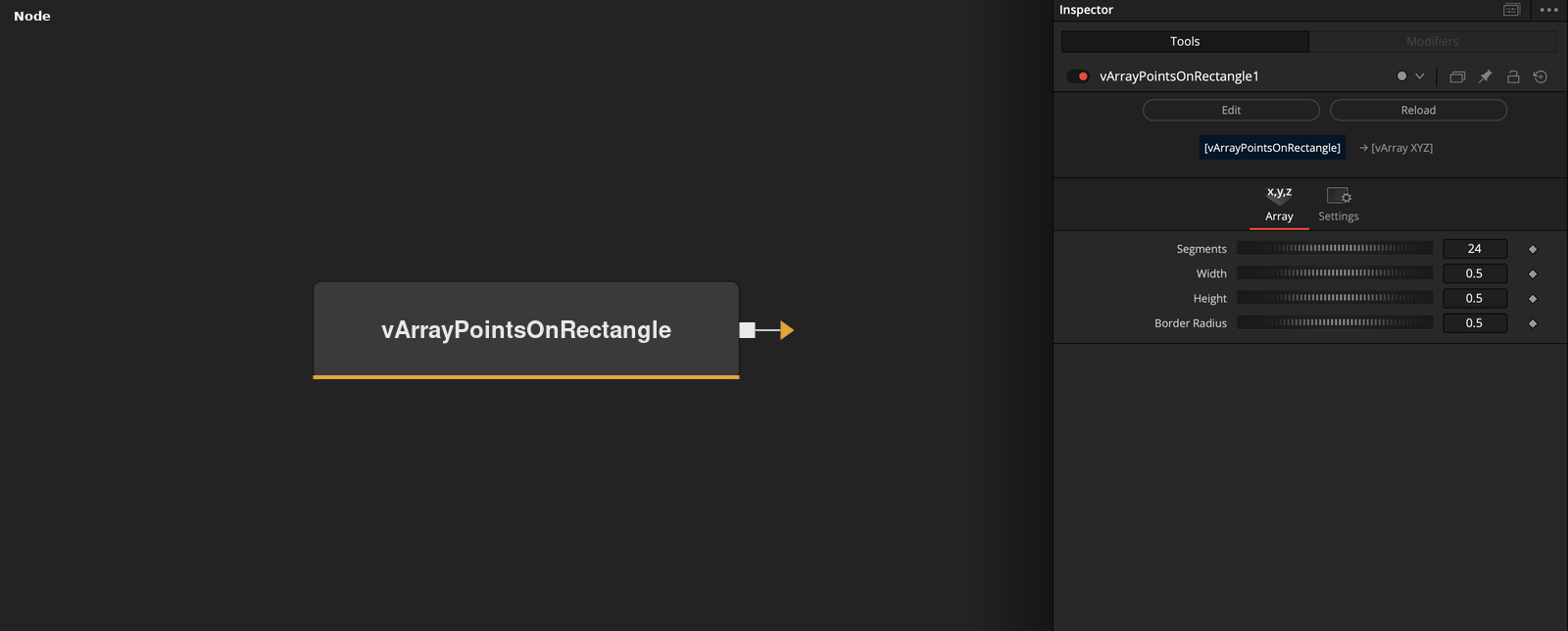
vArrayPointsOnRectangle has no input and outputs an array of XY points along the outline of a rectangle in the Z = 0 plane. Width, Height and Border Radius set the shape, and Segments sets the points per corner.
Parameters
| Parameter | Type | Default | Description |
|---|---|---|---|
| Segments | Integer | 24 | Number of points in each rounded corner. Range 1 to 100, default 24. |
| Width | Float | 0.5 | Width of the rectangle, used as an absolute value. Default 0.5. |
| Height | Float | 0.5 | Height of the rectangle, used as an absolute value. Default 0.5. |
| Border Radius | Float | 0.5 | Corner radius as a fraction of half the shorter side. 0 gives sharp corners and 1 gives a fully rounded short side. Default 0.5. |
| Line Strip | Integer | 0.0 | Hidden control. No effect, because the code treats any value as on and always writes segment pairs. Default off. |
+5 more parameters
| Parameter | Type | Default | Description |
|---|---|---|---|
| Loop | Integer | 0.0 | Hidden control. No effect, because the code treats any value as on and always closes the outline. Default off. |
| TopLeft Corner | Integer | 1.0 | Hidden control. No effect, because the code treats any value as on and always rounds this corner. Default on. |
| TopRight Corner | Integer | 1.0 | Hidden control. No effect, because the code treats any value as on and always rounds this corner. Default on. |
| BottomLeft Corner | Integer | 1.0 | Hidden control. No effect, because the code treats any value as on and always rounds this corner. Default on. |
| BottomRight Corner | Integer | 1.0 | Hidden control. No effect, because the code treats any value as on and always rounds this corner. Default on. |
Read the full description
The corner radius is Border Radius * min(Width, Height) / 2, so a Border Radius of 0 gives sharp corners and 1 rounds the shorter side completely. Each corner contributes Segments points along a quarter circle, starting on the side edge and stopping one step before the top or bottom edge. The straight edges are not sampled. They appear as the jump from the end of one corner arc to the start of the next.
The output is a list of line segments. The first point of the outline is appended at the end to close it, and then every pair of neighboring points is written out as two points, so each outline point appears twice. With the defaults (Segments 24, Width 0.5, Height 0.5, Border Radius 0.5) the outline has 96 points and the output has 192.
Width and Height are used as absolute values, and the rectangle is centered on the origin. With a Border Radius of 0 the 24 points in each corner are identical, so the corner positions repeat.
The fuse also has the hidden controls Line Strip, Loop and the four corner checkboxes. The code tests them as boolean values, and a Lua number, including 0, counts as true, so changing them has no effect. The outline is always closed, always written as segment pairs, and all four corners are always rounded.
Example Connections
- Draw the rectangle
- Offset the rectangle before drawing
vArrayPointsOnRectangle.Output -> vArrayCameraProjection.ArrayA
vArrayCameraProjection.Output -> vArrayShapeRender.ArrayPoint
Background.Output -> vArrayShapeRender.Input
vArrayPointsOnRectangle.Output -> vArrayTranslate.ArrayA
vArrayTranslate.Output -> vArrayCameraProjection.ArrayA