vArrayFromImage
Create points from the pixels of an image channel that pass a threshold, keeping every Nth match.
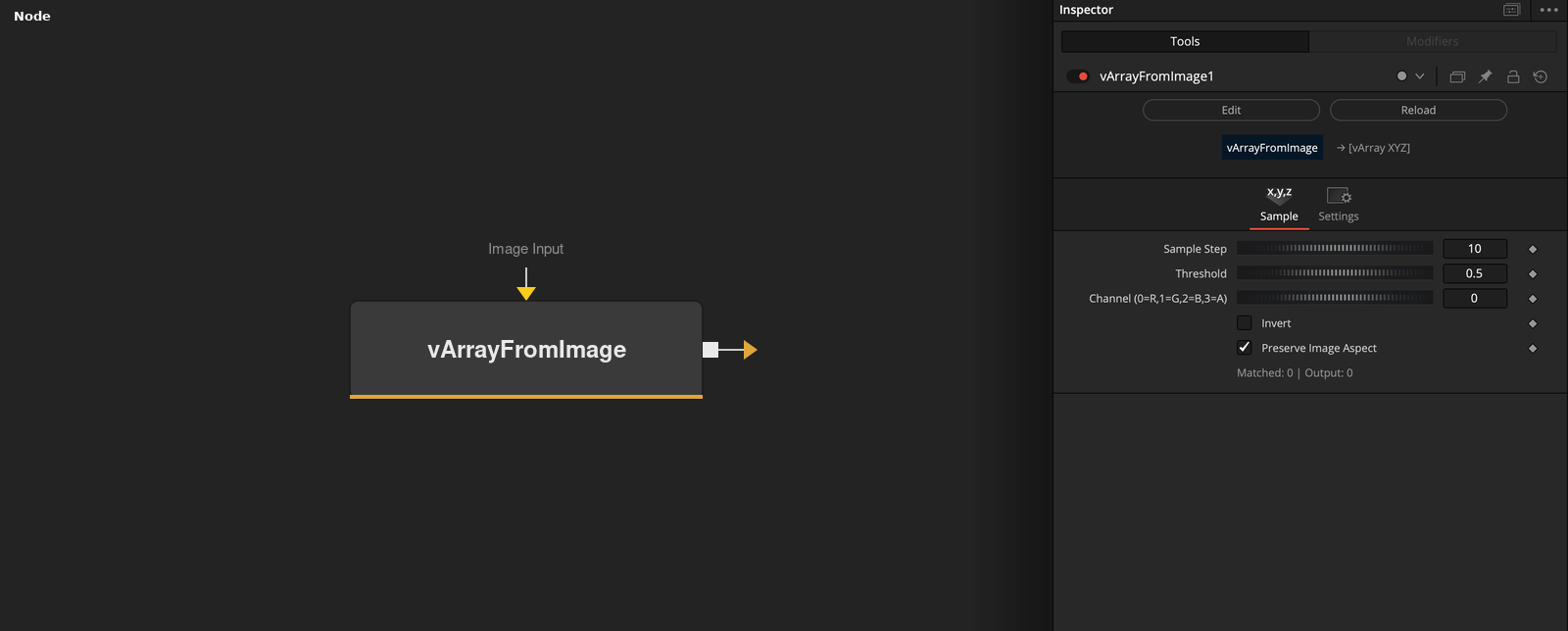
vArrayFromImage takes an image on its Image Input socket and outputs an array of XYZ points, one for each kept pixel whose channel value reaches the threshold. Channel, Threshold and Invert choose the pixels, and Sample Step thins them out.
Parameters
| Parameter | Type | Default | Description |
|---|---|---|---|
| Image Input | Image | — | Image whose pixels are tested. |
| Sample Step | Integer | 10 | Writes every Nth pixel that passes the test. Minimum 1, default 10. |
| Threshold | Float | 0.5 | A pixel passes when its channel value is at least this value. Range 0 to 1, default 0.5. |
| Channel (0=R,1=G,2=B,3=A) | Integer | 0 | Channel that is tested, 0 red, 1 green, 2 blue, 3 alpha. Range 0 to 3, default 0. |
| Invert | Integer | 0 | When on, the tested value is 1 minus the channel value. Default off. |
+1 more parameters
| Parameter | Type | Default | Description |
|---|---|---|---|
| Preserve Image Aspect | Integer | 1 | When on, Y is scaled by the image height divided by its width. Default on. |
Read the full description
The node scans every pixel of the image from row 0, column 0. It takes the value of the chosen Channel (0 red, 1 green, 2 blue, 3 alpha), turns it into 1 minus the value if Invert is on, and keeps the pixel if the result is greater than or equal to Threshold. Of the pixels that pass, only every Sample Step-th one is written, starting with the first. Sample Step counts passing pixels, not pixel columns or rows.
For a pixel at column px and row py of a w by h image, X = 0.5 - px / (w - 1) and Y = (0.5 - py / (h - 1)) * aspect. Z is the channel value used for the test, after Invert. With Preserve Image Aspect on, aspect is the image height divided by its width, taking pixel aspect into account. With it off, aspect is 1. The positions therefore fit in a box that is 1 unit wide, centered on the origin.
The defaults are Sample Step 10, Threshold 0.5, Channel 0, Invert off and Preserve Image Aspect on. A larger image makes the scan slower, and a Sample Step of 1 writes a point for every passing pixel, so the output can become very large.
If no image is connected, or the image has no size, the output is an empty array. The node does not process during the pre-calculation pass.
Example Connections
- Draw points from an image
- Offset the points before drawing
Loader.Output -> vArrayFromImage.ImageInput
vArrayFromImage.Output -> vArrayCameraProjection.ArrayA
vArrayCameraProjection.Output -> vArrayShapeRender.ArrayPoint
Background.Output -> vArrayShapeRender.Input
Loader.Output -> vArrayFromImage.ImageInput
vArrayFromImage.Output -> vArrayTranslate.ArrayA
vArrayTranslate.Output -> vArrayCameraProjection.ArrayA