vScriptValRadialSymmetry
Copy a set of points around the Z axis into a number of rotated copies, with optional growing radius.
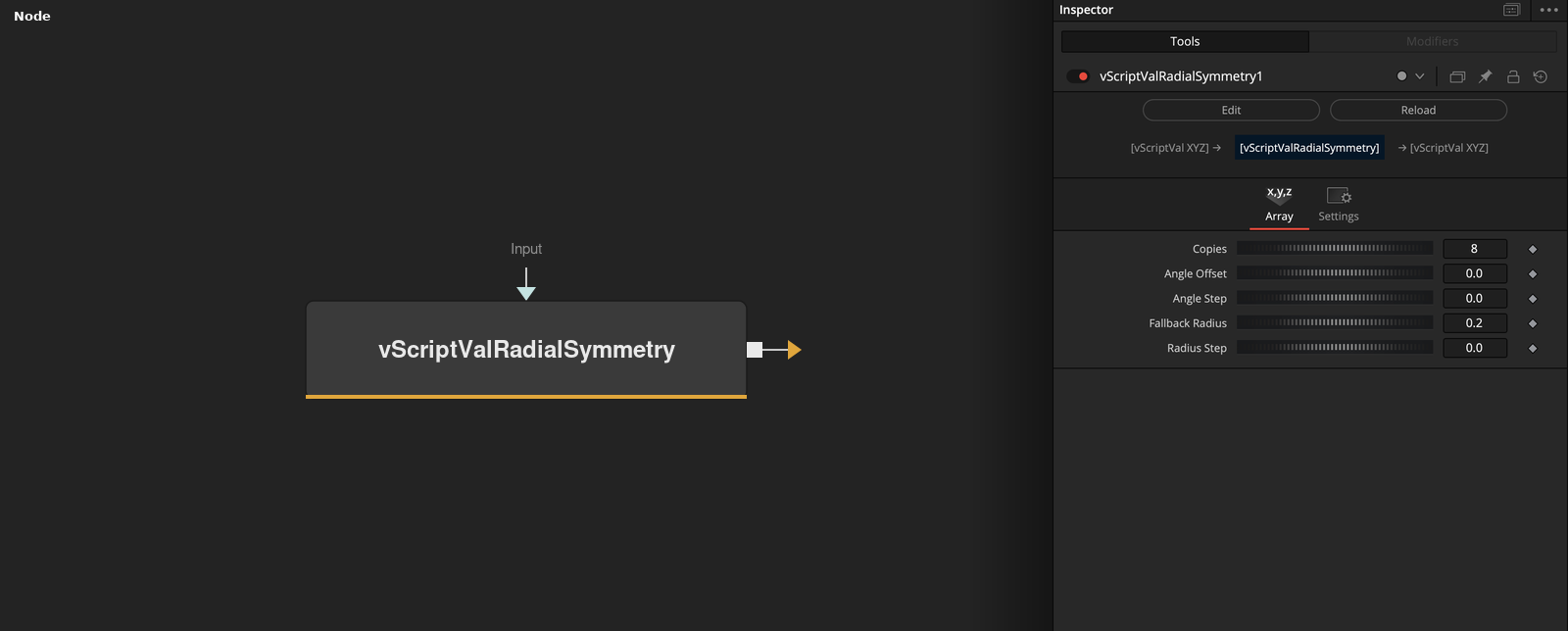
vScriptValRadialSymmetry takes an array on its Input socket and outputs copies of it rotated around the Z axis. Copies sets the number of copies, and Angle Offset, Angle Step and Radius Step set where each copy goes.
Parameters
| Parameter | Type | Default | Description |
|---|---|---|---|
| Input | DATATYPE | — | Array of points to copy. Without it, one point at the Fallback Radius is used. |
| Copies | Integer | 8 | Number of rotated copies. Clamped to 2 or more, default 8. |
| Angle Offset | Float | 0 | Rotation of the first copy, in degrees. Default 0. |
| Angle Step | Float | 0 | Rotation between copies, in degrees. 0 uses 360 divided by Copies. Default 0. |
| Fallback Radius | Float | 0.2 | Distance of the single source point on the X axis when no input is connected. Minimum 0, default 0.2. |
+1 more parameters
| Parameter | Type | Default | Description |
|---|---|---|---|
| Radius Step | Float | 0 | Distance added for each further copy, along its rotation direction. Default 0. |
Read the full description
Copy i, counting from 0, is rotated by Angle Offset + i * step degrees around the Z axis, where step is Angle Step. If Angle Step is 0, the step is 360 / Copies, which spreads the copies evenly around a full circle. Each copy is then moved outward by i * Radius Step along the direction of its own rotation angle. Z values are not changed.
The output holds Copies * the number of input points, ordered copy by copy. With the defaults (8 copies, Angle Offset 0, Angle Step 0, Radius Step 0) a single input point gives 8 points at 45 degree spacing.
If nothing is connected or the input array is empty, the node uses one point at X = Fallback Radius, Y = 0, Z = 0 as the source. With the default Fallback Radius of 0.2 the node then outputs a ring of 8 points with radius 0.2.
Copies is clamped to 2 or more. A non-zero Angle Step lets the copies cover only an arc, or overlap, for example 15 degrees with 8 copies covers 105 degrees. A non-zero Radius Step turns the ring into a spiral.
Example Connections
- Repeat a small curve in a ring
- Draw a ring of points with no input
vScriptValRoseCurve.Output -> vScriptValRadialSymmetry.Input
vScriptValRadialSymmetry.Output -> vScriptValCameraProjection.ArrayA
vScriptValCameraProjection.Output -> vScriptValShapeRender.ArrayPoint
Background.Output -> vScriptValShapeRender.Input
vScriptValRadialSymmetry.Output -> vScriptValCameraProjection.ArrayA
vScriptValCameraProjection.Output -> vScriptValShapeRender.ArrayPoint
Background.Output -> vScriptValShapeRender.Input