vScriptValCreateRange
Generate a list of numbers from a constant, a 0 to 1 ramp, a 1,2,3 counter or a low to high range, packed as X, X Y or X Y Z.
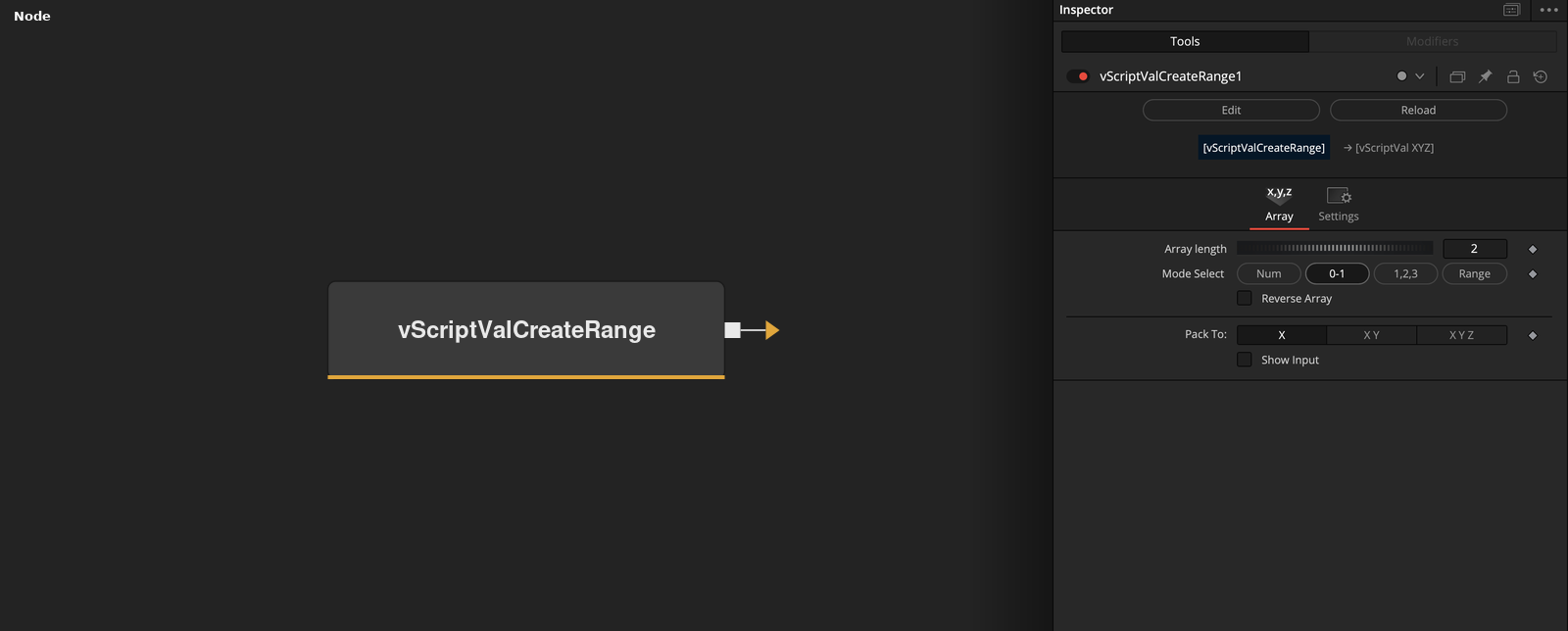
vScriptValCreateRange has no input and outputs an array of numbers grouped into entries of one, two or three values. Mode Select chooses how the numbers are made, Array length sets how many, and Pack To sets the entry size.
Parameters
| Parameter | Type | Default | Description |
|---|---|---|---|
| Array length | Integer | 2 | Number of numbers made before packing. Minimum 2, default 2. |
| Mode Select | Dropdown | 0-1 | Num repeats Number, 0-1 makes a ramp from 0 to 1, 1,2,3 counts up from 1, Range spaces values from Low to High. Default 0-1. |
| Number | Float | 0 | Hidden unless Mode Select is Num. The value written for every number in Num mode. Default 0. |
| Low | Float | -1 | Hidden unless Mode Select is Range. First value of the range. Default -1. |
| High | Float | 1 | Hidden unless Mode Select is Range. Last value of the range. Default 1. |
+3 more parameters
| Parameter | Type | Default | Description |
|---|---|---|---|
| Reverse Array | Integer | 0.0 | Reverses the order of the numbers before packing. Default off. |
| Pack To: | Dropdown | X | Number of values in each entry, X, X Y or X Y Z. Default X. |
| Show Input | Integer | 0.0 | Shows or hides a connection point on the Array length control. Default off. |
Read the full description
The node first makes Array length numbers. In Num mode every number is the value of Number. In 0-1 mode number i of n is (i - 1) / (n - 1), a ramp from 0 to 1. In 1,2,3 mode number i is i. In Range mode the numbers are spaced evenly from Low to High, with number i equal to Low + (i - 1) * (High - Low) / (n - 1).
If Reverse Array is on, the list of numbers is reversed. The numbers are then packed into entries by Pack To: X gives entries of one value, X Y gives entries of two and X Y Z gives entries of three. If the count does not divide evenly, the last entry holds the remaining values and is shorter.
With the defaults (Array length 2, 0-1 mode, Pack To X) the output is two entries, 0 and 1. Number is shown only in Num mode, and Low and High only in Range mode. Array length has a minimum of 2. Show Input adds a connection point to the Array length control so that the length can be driven from another node.
The node produces values, not geometry. Set Pack To to X Y Z to use the output as points, or use it with the Modify nodes as a source of values.
Example Connections
- Draw the values as points, with Pack To set to X Y Z
- Offset the values before drawing
vScriptValCreateRange.Output -> vScriptValCameraProjection.ArrayA
vScriptValCameraProjection.Output -> vScriptValShapeRender.ArrayPoint
Background.Output -> vScriptValShapeRender.Input
vScriptValCreateRange.Output -> vScriptValTranslate.ArrayA
vScriptValTranslate.Output -> vScriptValCameraProjection.ArrayA