vScriptValPointParticles
Simulate a small particle system and output the current particle positions, with emission shapes and force controls.
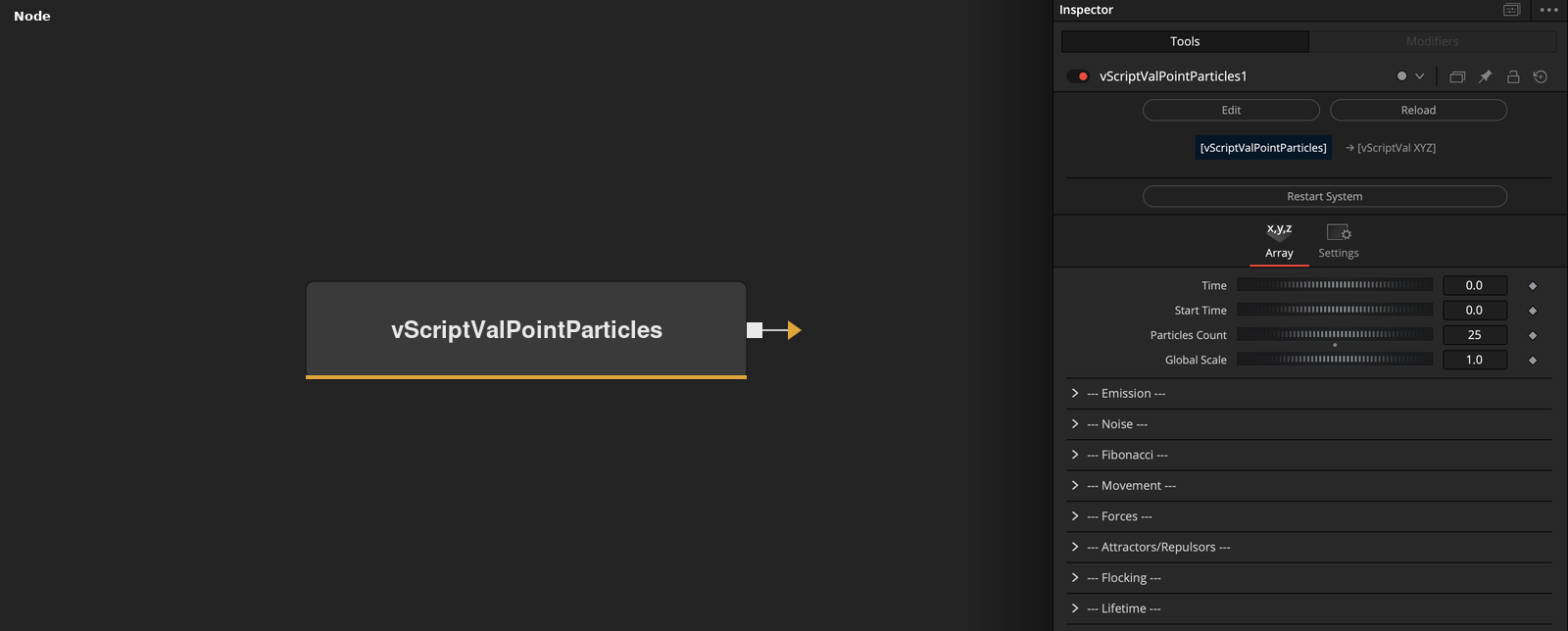
vScriptValPointParticles has no input and outputs an array of XYZ points, one for each particle at the current time. Emission Type picks the start layout, and the movement, force and flocking controls drive the particles as the frames advance.
Parameters
| Parameter | Type | Default | Description |
|---|---|---|---|
| Restart System | Float | — | Button that restarts the particle system. |
| Time | Float | 0 | Multiplier on the frame time that gives the simulation time. 0 stops time, default 0. |
| Start Time | Float | 0 | Simulation time at or before which the system is rebuilt. Minimum 0, default 0. |
| Particles Count | Integer | 24 | Number of particles. Minimum 0, default 24. |
| Global Scale | Float | 1 | Multiplier applied to the output positions. Default 1. |
+39 more parameters
| Parameter | Type | Default | Description |
|---|---|---|---|
| Emission Type | Dropdown | Fibonacci Sphere | Layout of the start positions, Random, Noise Field, Fibonacci Sphere, Fibonacci Spiral or Fibonacci Disc. Default Fibonacci Sphere. |
| Size X | Float | 1 | Size of the emission box in X, and scale of the Fibonacci layouts in X. Default 1. |
| Size Y | Float | 1 | Size of the emission box in Y, and scale of the Fibonacci layouts in Y. Default 1. |
| Size Z | Float | 1 | Size of the emission box in Z, and scale of the Fibonacci layouts in Z. Default 1. |
| Center X | Integer | 0 | Has no effect. The emission box is always centered in X. Default off. |
| Center Y | Integer | 0 | Has no effect. The emission box is always centered in Y. Default off. |
| Center Z | Integer | 0 | Has no effect. The emission box is always centered in Z. Default off. |
| Noise Scale | Float | 0.1 | Scale of the noise field used by Noise Field emission. Default 0.1. |
| Noise Strength | Float | 0.5 | Size of the noise shift applied to Noise Field positions. Default 0.5. |
| Noise Seed | Integer | 42 | Seed of the noise for Noise Field emission and turbulence. Default 42. |
| Fibonacci Radius | Float | 0.3 | Radius of the Fibonacci layouts. Default 0.3. |
| Fibonacci Height | Float | 2 | Height of the Fibonacci Spiral. Default 2. |
| Movement X | Float | 0.1 | Largest random start speed in X, in both directions. Default 0.1. |
| Movement Y | Float | 0.1 | Largest random start speed in Y, in both directions. Default 0.1. |
| Movement Z | Float | 0.1 | Largest random start speed in Z, in both directions. Default 0.1. |
| Enable Gravity | Integer | 1 | Hidden control. Has no effect, gravity is always on. Default on. |
| Gravity Strength | Float | 0 | Force added along Y. Positive values push up. Default 0. |
| Enable Wind | Integer | 1 | Hidden control. Has no effect, wind is always on. Default on. |
| Wind X | Float | 0 | Wind force along X. Default 0. |
| Wind Y | Float | 0 | Wind force along Y. Default 0. |
| Wind Z | Float | 0 | Wind force along Z. Default 0. |
| Enable Turbulence | Integer | 1 | Hidden control. Has no effect, turbulence is always on. Default on. |
| Turbulence Strength | Float | 0.2 | Strength of the noise force. Default 0.2. |
| Enable Attractor | Integer | 1 | Hidden control. Has no effect, the attractor is always on. Default on. |
| Attractor X | Float | 0 | X position of the attractor. Default 0. |
| Attractor Y | Float | 0 | Y position of the attractor. Default 0. |
| Attractor Z | Float | 0 | Z position of the attractor. Default 0. |
| Attractor Strength | Float | 0.0 | Strength of the pull. Negative values push away. Default 0. |
| Attractor Falloff | Float | 1 | Exponent of the distance in the attractor force. Default 1. |
| Enable Flocking | Integer | 1 | Hidden control. Has no effect, flocking is always on. Default on. |
| Separation Radius | Float | 0.5 | Distance within which neighbors push a particle away. Default 0.5. |
| Separation Strength | Float | 0.3 | Strength of the push away from neighbors. Default 0.3. |
| Alignment Radius | Float | 1 | Distance within which a particle matches the velocity of neighbors. Default 1. |
| Alignment Strength | Float | 0.1 | Strength of the velocity matching. Default 0.1. |
| Cohesion Radius | Float | 1 | Distance within which a particle moves toward the center of its neighbors. Default 1. |
| Cohesion Strength | Float | 0.1 | Strength of the pull toward the center of the neighbors. Default 0.1. |
| Lifetime | Float | 2 | Longest lifetime of a particle, in simulation time. Minimum 0, default 2. |
| Lifetime Minimum | Float | 1 | Shortest lifetime of a particle. It is limited to Lifetime. Minimum 0, default 1. |
| Flocking Optimization | Integer | 1 | Has no effect. Flocking is always spread over a third of the particles per frame. Default on. |
Read the full description
The simulation time is the frame time multiplied by Time. The default for Time is 0, so the time does not advance and the particles stay at their emission positions. Set Time to a value above 0, for example 1, to run the simulation. The system is built again whenever the time is at or before Start Time, when Particles Count changes, and when Restart System is pressed. The state lives in the node, so the result depends on frames being rendered in order.
Emission Type sets where each particle starts. Random picks a random position inside a box of Size X, Y and Z centered on the origin. Noise Field picks random positions in the same box and keeps each one with a probability from layered noise, up to 21 tries, then shifts it by noise multiplied by Noise Strength. The three Fibonacci types place particles by index with the golden angle. Fibonacci Sphere uses Fibonacci Radius and the Size values. Fibonacci Spiral is a disc whose radius grows with the index and which rises over Fibonacci Height. Fibonacci Disc is the same disc at Y = 0. Each particle also gets a random start velocity between minus and plus the Movement value on each axis.
Each step adds forces to the velocity and then moves the particle. Gravity Strength is added to the Y force, so a positive value pushes up. Wind X, Y and Z add a constant force. Turbulence adds a noise force that depends on the particle X, Y and the time. The attractor pulls toward its position with a force of Attractor Strength divided by distance to the power Attractor Falloff. Separation, Alignment and Cohesion add flocking forces among all particles within their radii, and the speed is limited to 2 units per second after flocking.
Every particle has a random lifetime between Lifetime Minimum and Lifetime. When it ends, the particle is emitted again at the current time. All positions are multiplied by Global Scale before output. The Enable checkboxes for gravity, wind, turbulence, attractor and flocking are hidden and have no effect, because the code treats any value as on. The Center X, Y and Z and Flocking Optimization checkboxes are also treated as always on. Flocking therefore updates a third of the particles per frame, and positions are always centered.
Example Connections
- Draw the particles
- Offset the particles before drawing
vScriptValPointParticles.Output -> vScriptValCameraProjection.ArrayA
vScriptValCameraProjection.Output -> vScriptValShapeRender.ArrayPoint
Background.Output -> vScriptValShapeRender.Input
vScriptValPointParticles.Output -> vScriptValTranslate.ArrayA
vScriptValTranslate.Output -> vScriptValCameraProjection.ArrayA