vScriptValLocatorAsset
Create a vGeometry asset in the shape of a gnomon, a plus, a camera or one of eight light icons.
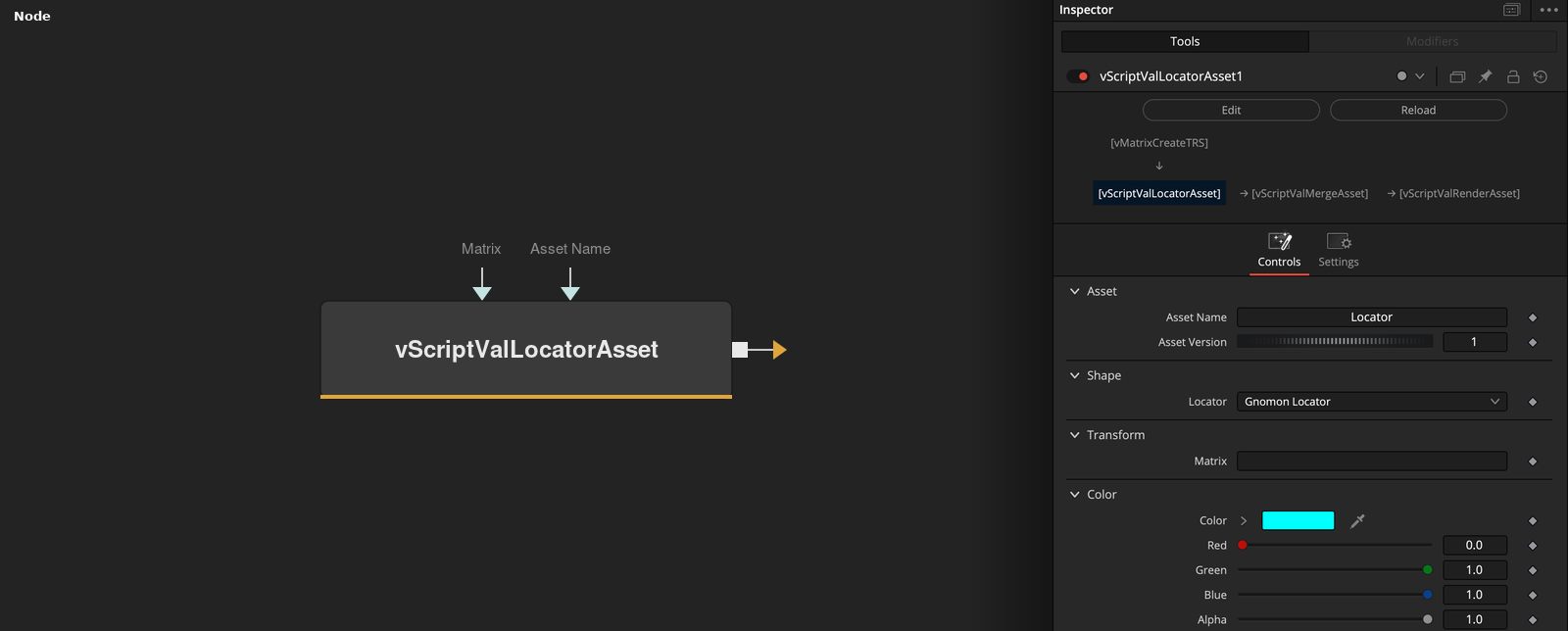
vScriptValLocatorAsset has no point inputs and outputs a vGeometry asset whose points and edges draw a locator or a light symbol. The Locator menu picks the shape, and a matrix on the Matrix socket positions it.
Parameters
| Parameter | Type | Default | Description |
|---|---|---|---|
| Asset Name | Text | — | Name stored in the asset. An empty name becomes Object. |
| Asset Version | Integer | 1 | Version number stored in the asset. Default 1. |
| Locator | Dropdown | Gnomon Locator | Shape of the locator or light symbol. Default Gnomon Locator. |
| Matrix | Text | — | 4x4 matrix as JSON text. Its list of numbers is stored in the asset. Without it the identity matrix is stored. |
| Red | Float | 0.0 | Red level of the wire color. Default 0. |
+5 more parameters
| Parameter | Type | Default | Description |
|---|---|---|---|
| Green | Float | 1.0 | Green level of the wire color. Default 1. |
| Blue | Float | 1.0 | Blue level of the wire color. Default 1. |
| Alpha | Float | 1.0 | Alpha level of the wire color. Range 0 to 1, default 1. |
| Soft Edge | Float | 0 | Soft edge value stored in the asset. Minimum 0, default 0. |
| Show Input | Integer | 1.0 | Shows or hides the Matrix socket and the Asset Name connection point. Default on. |
Read the full description
The shape is fixed geometry that is written into the asset as points and edges. The Locator menu offers Gnomon Locator, Plus Locator, Camera Locator, Ambient Light, Area Light, Directional Light, Dome Light, Point Light, Spot Light, Sphere Light and Tube Light. The dashed line in the menu is a separator and gives the same shape as the Gnomon Locator.
The Gnomon Locator is three lines of length 5 from the origin along X, Y and Z. The asset also holds a bounding box for the shape, the Name, the Version, the wire color from Red, Green, Blue and Alpha, the Soft Edge value, the ID vGeometry and a new UUID that changes on every calculation. The UV lists are empty.
Without a connected Matrix, the identity matrix is stored, and the locator sits at the origin. A matrix from a matrix node moves, rotates or scales it when the asset is drawn. If Asset Name is empty or only a space or tab, the name Object is used.
The asset is the input of vScriptValRenderAsset, which draws it as a 3D wireframe, and of vScriptValRenderAssetSVG, which exports an SVG wireframe. The shapes are sized in fixed units, so use the matrix to scale them. Show Input shows or hides the Matrix socket and the Asset Name connection point.
Example Connections
- Draw a locator
- Place a locator with a matrix
vScriptValLocatorAsset.Output -> vScriptValRenderAsset.Input
vMatrixCreateTRS.Output -> vScriptValLocatorAsset.Matrix
vScriptValLocatorAsset.Output -> vScriptValRenderAsset.Input