vScriptValList
Create an array from values typed in one by one, packed as X, X Y or X Y Z.
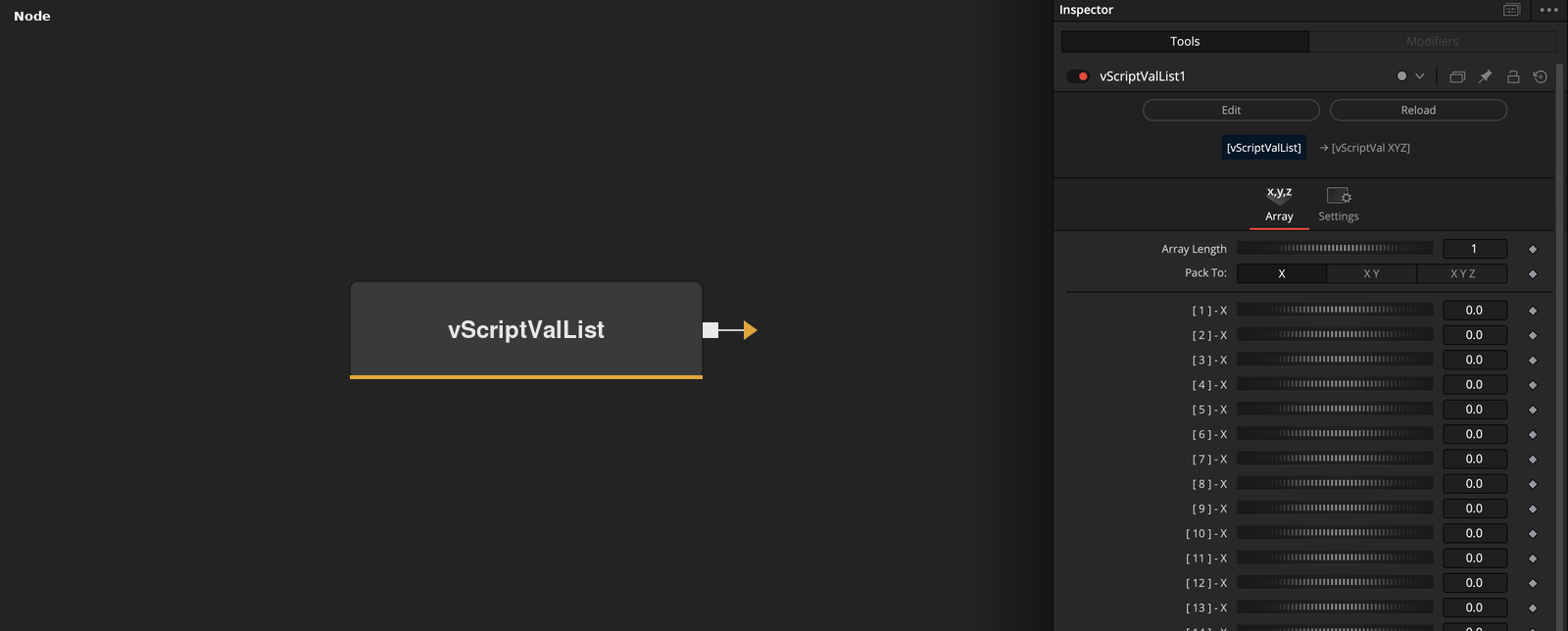
vScriptValList has no input and outputs an array built from up to 24 number controls. Array Length chooses how many of them are used, and Pack To groups them into entries of one, two or three values.
Parameters
| Parameter | Type | Default | Description |
|---|---|---|---|
| Array Length | Integer | 1 | Number of value controls that are read. Range 0 to 24, default 1. Rounded down to an even number for X Y and to a multiple of 3 for X Y Z. |
| Pack To: | Dropdown | X | Number of values in each entry, X, X Y or X Y Z. Default X. |
| Reverse Array | Integer | 0.0 | Reverses the order of the entries. Default off. |
| Show Input | Integer | 1.0 | Shows or hides a connection point on the Array Length control. Default on. |
Read the full description
The node creates 24 number controls named [ 1 ] to [ 24 ]. Array Length sets how many of them are read, from 0 up to 24. The values are packed in order into entries of the size chosen by Pack To.
Pack To also trims the count. With X Y, Array Length is rounded down to an even number, and with X Y Z it is rounded down to a multiple of 3, so every entry is complete. The control labels change to show which axis each one feeds, for example [ 1 ] - X, [ 2 ] - Y, [ 3 ] - Z.
With Reverse Array on, the order of the entries is reversed. The values inside each entry keep their order. Show Input is on by default and shows a connection point on the Array Length control.
Each value control can be animated or connected to another node. The defaults are Array Length 1, Pack To X and every value 0, so the node outputs one entry holding the value 0.
Example Connections
- Draw the entries as points, with Pack To set to X Y Z
- Offset the points before drawing
vScriptValList.Output -> vScriptValCameraProjection.ArrayA
vScriptValCameraProjection.Output -> vScriptValShapeRender.ArrayPoint
Background.Output -> vScriptValShapeRender.Input
vScriptValList.Output -> vScriptValTranslate.ArrayA
vScriptValTranslate.Output -> vScriptValCameraProjection.ArrayA