vJSONPointsOnCircle
Place points evenly around a circle, with control over radius, segment count, rotation and path closing.
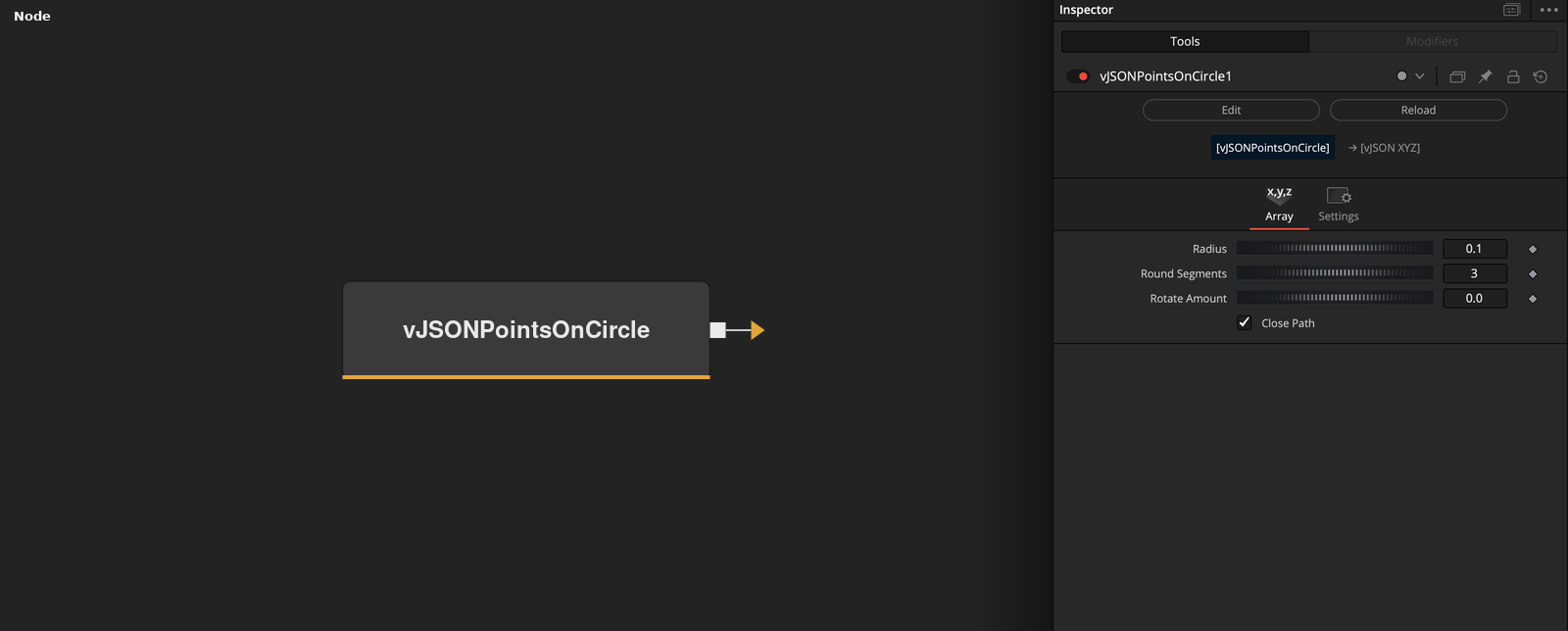
vJSONPointsOnCircle has no input and outputs points on a circle in the XY plane at Z = 0. Radius and Round Segments set the circle and Rotate Amount turns it.
Parameters
| Parameter | Type | Default | Description |
|---|---|---|---|
| Radius | Float | 0.1 | Radius of the circle. Default 0.1. |
| Round Segments | Integer | 3 | Number of points around the circle. Integer, minimum 3, default 3. |
| Rounds | Float | 0 | Hidden. Extra passes around the circle. The point count is floor(Round Segments * (Rounds + 1)). Default 0. |
| Point Offset | Float | 0 | Hidden. Scales the angle step by (1 + offset). Default 0. |
| Rotate Amount | Float | 0 | Rotation of the ring in degrees, -360 to 360. Default 0. |
+1 more parameters
| Parameter | Type | Default | Description |
|---|---|---|---|
| Close Path | Integer | 1.0 | When on, the first point is appended at the end of the array. On by default. |
Read the full description
The node places one point every 360 / Round Segments degrees, starting at the Rotate Amount angle. The first point is at radius * (cos, sin) of that angle. All points have Z = 0.
Close Path is on by default. It appends a copy of the first point at the end of the array, so a line or path drawn through the points returns to its start. Turn it off to get exactly Round Segments points.
Round Segments is an integer with a minimum of 3. Rotate Amount accepts -360 to 360 degrees. Rounds and Point Offset are hidden controls (not shown in the Inspector). Rounds adds extra passes: the number of generated points is floor(Round Segments * (Rounds + 1)). Point Offset scales the angle step by (1 + offset). Both default to 0, which gives a single ring.
The output is a point array. Connect it to vJSONCameraProjection and vJSONShapeRender to draw it, or use it as the base for the Modify nodes.
Example Connections
- Draw a ring of points
- Spin the ring with a rotation modifier
vJSONPointsOnCircle.Output -> vJSONCameraProjection.ArrayA
vJSONCameraProjection.Output -> vJSONShapeRender.ArrayPoint
Background.Output -> vJSONShapeRender.Input
vJSONPointsOnCircle.Output -> vJSONRotateValues.ArrayA
vJSONRotateValues.Output -> vJSONCameraProjection.ArrayA