vJSONMapGeoJSON
Project GeoJSON coordinates with the Web Mercator formula into flat XY points, with a group size for each shape.
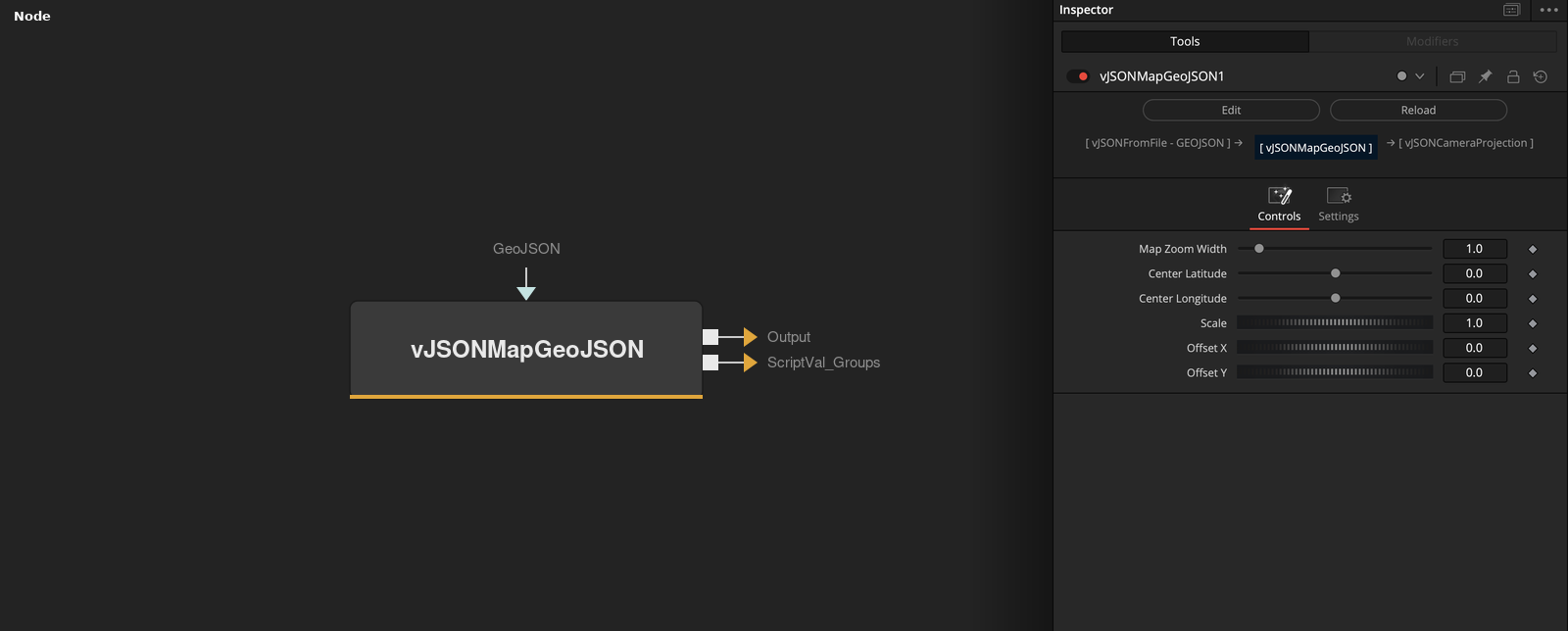
vJSONMapGeoJSON takes GeoJSON text on its GeoJSON socket and outputs an array of XY points on a flat map, together with a Groups output that lists how many points each shape has. Center, zoom, scale and offset place the map.
Parameters
| Parameter | Type | Default | Description |
|---|---|---|---|
| Auto Fit | Float | 1 | Hidden control. It is read by the node but has no effect. Default on. |
| GeoJSON | Text | — | GeoJSON text to project. |
| Map Zoom Width | Float | 1.0 | Width of the projected map, with a height of 1. Range 0.1 to 10, default 1. |
| Center Latitude | Float | 0.0 | Latitude that is placed at the origin, in degrees. Range -90 to 90, default 0. |
| Center Longitude | Float | 0.0 | Longitude that is placed at the origin, in degrees. Range -180 to 180, default 0. |
+3 more parameters
| Parameter | Type | Default | Description |
|---|---|---|---|
| Scale | Float | 1.0 | Scale around the average point position. The value is multiplied by 1000. Minimum 0.001, default 1. |
| Offset X | Float | 0.0 | Distance added to X after scaling. Default 0. |
| Offset Y | Float | 0.0 | Distance added to Y after scaling. Default 0. |
Read the full description
The node reads a GeoJSON FeatureCollection and collects the coordinates of its Point, Polygon, MultiPolygon, LineString and MultiLineString features. Every polygon ring, line or point becomes one shape. A plain JSON array of shapes, each a list of [longitude, latitude] pairs, is also accepted. If the text is empty, cannot be read or holds no shapes, the output is empty.
Each position is projected with the Web Mercator formula on a map that is Map Zoom Width wide and 1 high. X = (longitude + 180) * Map Zoom Width / 360 and the vertical position comes from ln(tan(pi / 4 + latitude / 2)). The map is then shifted so that Center Longitude and Center Latitude sit at the origin, and Y points up.
Afterwards the points are scaled around their own average position by Scale * 1000 and shifted by Offset X and Offset Y. Because of the factor of 1000, the default Scale of 1 makes the map 1000 times wider than the unscaled projection, and a Scale of 0.001 leaves it at the projected size. Z is always 0.
The Groups output holds the number of points of each shape in order, as a list. Use it with the nodes that take a Groups input to keep the shapes separate. The hidden Auto Fit control is read but not used.
Example Connections
- Draw the map outlines with their groups
- Offset the map before drawing
vJSONMapGeoJSON.Output -> vJSONCameraProjection.ArrayA
vJSONMapGeoJSON.ScriptVal_Groups -> vJSONCameraProjection.ArrayGroups
vJSONCameraProjection.Output -> vJSONShapeRender.ArrayPoint
vJSONCameraProjection.Groups -> vJSONShapeRender.ArrayGroups
Background.Output -> vJSONShapeRender.Input
vJSONMapGeoJSON.Output -> vJSONTranslate.ArrayA
vJSONTranslate.Output -> vJSONCameraProjection.ArrayA