vScriptValMaterialEasing
Moves each point along an offset by a Material Design 3 easing curve, started at a different time per point.
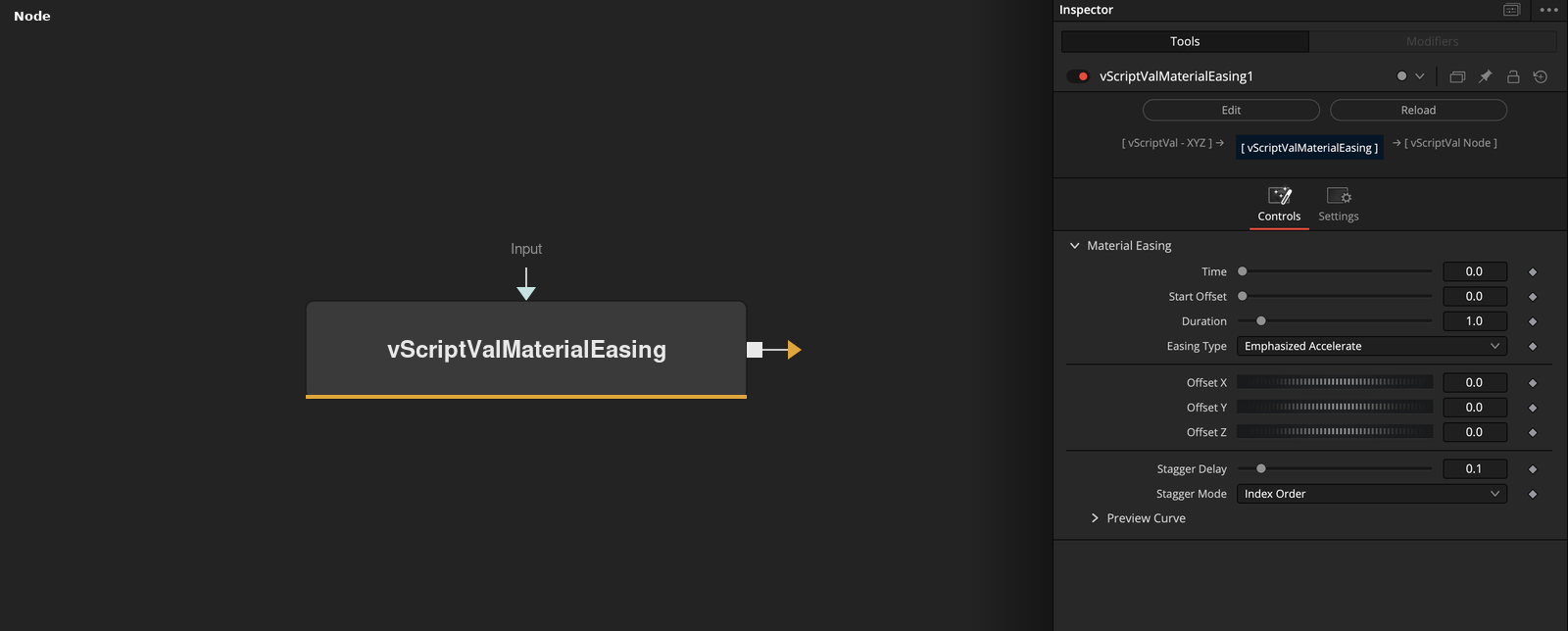
vScriptValMaterialEasing takes an array of XYZ points and moves each one by Offset X, Y and Z along the chosen easing curve. Time drives the animation, and Stagger Mode and Stagger Delay start each point at a different time.
Parameters
| Parameter | Type | Default | Description |
|---|---|---|---|
| Time | Float | 0.0 | Animation time, slider 0 to 1, default 0. Animate this value to play the easing. |
| Start Offset | Float | 0.0 | Time before the animation starts. Minimum 0, default 0. |
| Duration | Float | 1.0 | Time the easing takes to complete. Slider 0.01 to 10, minimum 0, default 1. 0 makes the move a step. |
| Easing Type | Dropdown | Emphasized Accelerate | One of 20 easing curves, default Emphasized Accelerate. Standard Fast, Default and Slow Spatial use one curve, and the three Standard Effects entries use the same curves as the three Expressive Effects entries. The Preview Curve section draws the selected curve. |
| Offset X | Float | 0.0 | Distance each point moves on X by the end of the animation. Default 0. |
+9 more parameters
| Parameter | Type | Default | Description |
|---|---|---|---|
| Offset Y | Float | 0.0 | Distance each point moves on Y by the end of the animation. Default 0. |
| Offset Z | Float | 0.0 | Distance each point moves on Z by the end of the animation. Default 0. |
| Stagger Delay | Float | 0.1 | Multiplier for the per-point delay from Stagger Mode. Slider 0 to 1, default 0.1. |
| Stagger Mode | Dropdown | Index Order | Index Order, Distance from Center, or Random. Index Order delays point i by 0.1 * i, Random by a repeatable value from 0 to 0.5. |
| Falloff X | Float | 0.0 | Shifts the center used by Distance from Center on X. The center is the average of the points plus this value times 10. Shown only for that mode. |
| Falloff Y | Float | 0.0 | Shifts the center used by Distance from Center on Y. The center is the average of the points plus this value times 10. Shown only for that mode. |
| Falloff Z | Float | 0.0 | Shifts the center used by Distance from Center on Z. The center is the average of the points plus this value times 10. Shown only for that mode. |
| Scale factor | Float | 0.0 | Converts distance from the center into delay: the distance is multiplied by this value times 10. Default 0, so every point starts together. Shown only for Distance from Center. |
| Input | ScriptVal | — | Data to process. |
Read the full description
Each point is moved by Offset * eased(clamp((Time - Start Offset - delay * Stagger Delay) / Duration, 0, 1)). The easing is one of 20 cubic bezier curves selected by Easing Type, and the default is Emphasized Accelerate. Offset X, Y and Z default to 0, so nothing moves until one is set.
The delay comes from Stagger Mode. Index Order uses 0.1 per index. Distance from Center uses the distance to a center point times 10 times Scale factor, which defaults to 0. Random uses a repeatable value from 0 to 0.5 for each index. Stagger Delay defaults to 0.1.
Before a point's start the point stays in place. After the Duration it stays at the full Offset. With Duration 0 it jumps to the full Offset at its start. Expressive Fast Spatial overshoots by about 9 percent.
Example Connections
- Ease a grid out and draw it
- Ease a circle, then move it
vScriptValPointsOnGrid.Output -> vScriptValMaterialEasing.Input
vScriptValMaterialEasing.Result -> vScriptValCameraProjection.ArrayA
vScriptValCameraProjection.Output -> vScriptValShapeRender.ArrayPoint
Background.Output -> vScriptValShapeRender.Input
vScriptValPointsOnCircle.Output -> vScriptValMaterialEasing.Input
vScriptValMaterialEasing.Result -> vScriptValTranslate.Input