vPointTween
Performs linear interpolation between two Fusion Point objects.
Core / PointPoint
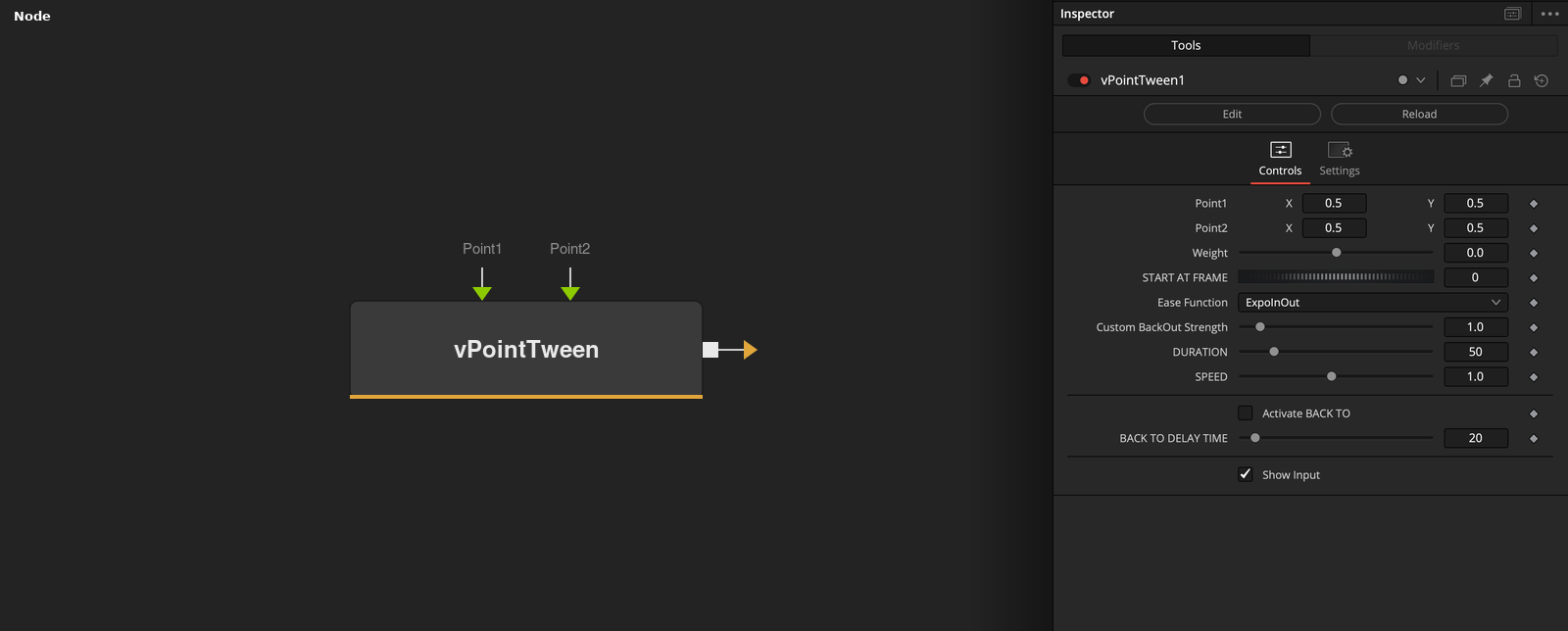
Parameters
| Parameter | Type | Default | Description |
|---|---|---|---|
| Point1 | Point | — | Start point (the eased animation's origin). |
| Point2 | Point | — | End point the animation eases toward. |
| Weight | Float | 0 | Manual interpolation factor between Point1 (0) and Point2 (1) — only used if you're driving the tween by hand instead of the automatic frame-based timing below. |
| START AT FRAME | Integer | 0 | Frame the eased animation begins on. |
| Ease Function | Dropdown | ExpoInOut | Easing curve applied over the animation: the standard Penner set (Quad/Cubic/Quart/Quint/Expo/Sine/Circ/Back/Elastic, each with In/Out/InOut variants), plus linear, Custom BackOut, and Jitter. |
+8 more parameters
| Parameter | Type | Default | Description |
|---|---|---|---|
| Custom BackOut Strength | Float | 1 | Overshoot amount for the Custom BackOut ease function. Custom BackOut mode only. |
| DURATION | Integer | 50 | Length of the eased animation, in frames. |
| SPEED | Float | 1 | Playback rate multiplier applied on top of Duration — 1.0 is normal speed. |
| line1Separator | Float | — | A UI separator, not a real setting. |
| Activate BACK TO | Integer | 0.0 | After reaching Point2, eases back to Point1 following BACK TO DELAY TIME — a there-and-back animation instead of a one-way tween. |
| BACK TO DELAY TIME | Integer | 20 | Frames to hold at Point2 before easing back to Point1. Activate BACK TO only. |
| line2Separator | Float | — | A UI separator, not a real setting. |
| Show Input | Integer | 1.0 | Reveals the wires for the Point1/Point2 connections in the Flow view. |