vPointCreateImage
Create a Fusion Point object with an image visible in the background The "Add Metadata" checkbox creates image output metadata entries for the point coordinates formatted as: XOffset = 0.5 YOffset = 0.5 If you enable the viewer window's "Metadata" sub-viewer entry you can quickly see the information that is appended to the image output stream.
Core / PointPoint
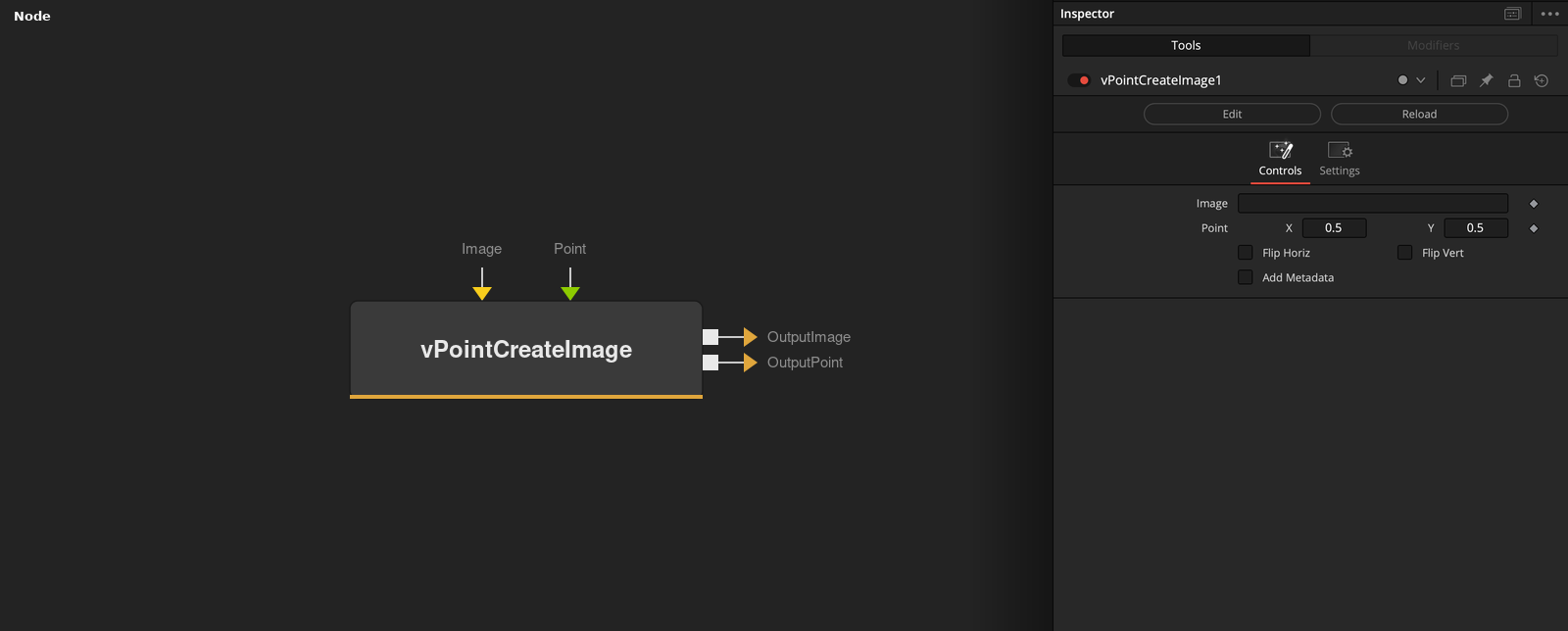
Parameters
| Parameter | Type | Default | Description |
|---|---|---|---|
| Image | Image | — | Background image shown behind the point picker in the viewer, for visual reference while placing it. |
| Point | Point | — | On-screen position picker — drag directly in the viewer or type X/Y values in the Inspector. |
| Flip Horiz | Integer | 0.0 | Mirrors the X value around the center of the frame (X → 1 − X). |
| Flip Vert | Integer | 0.0 | Mirrors the Y value around the center of the frame (Y → 1 − Y). |
| Add Metadata | Integer | 0.0 | Writes the point's coordinates into the output image's metadata as XOffset/YOffset — viewable via the viewer's Metadata sub-panel. |