vNumberWireless
The vNumberWireless node allows you to connect to other number based nodes in your comp without drawing the connection wirelines visually in the Flow/Nodes view. This can be helpful if you need to reduce clutter.
Core / NumberNumber
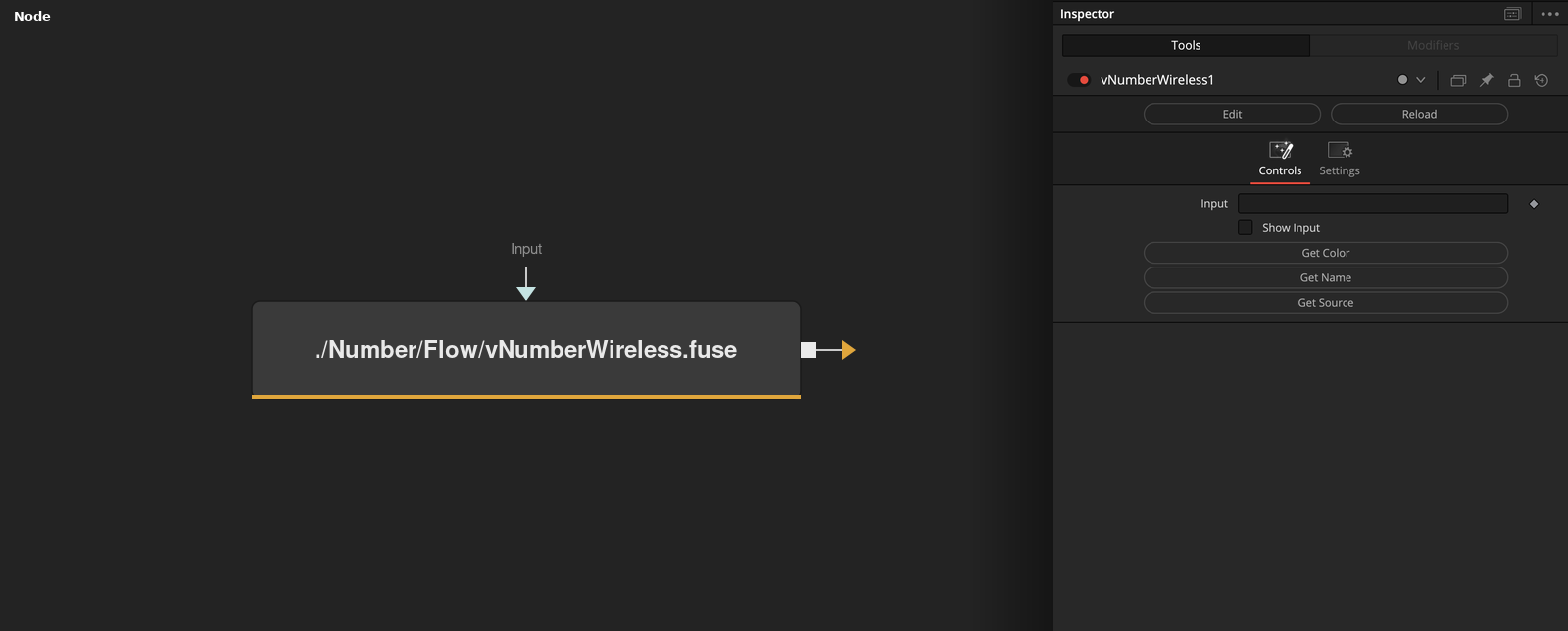
Parameters
| Parameter | Type | Default | Description |
|---|---|---|---|
| Input | datatype | — | The upstream Number connection to link wirelessly. The wire stays hidden in the Flow view unless Show Input is enabled — data still passes through to Output as normal. |
| Show Input | Integer | 0.0 | Reveals the wire connecting Input, so it's visible in the Flow/Nodes view like a normal connection. |
| Get Color | Float | — | Copies the connected node's tile and text colour onto this node — a quick way to visually match a wireless link with its source. |
| Get Name | Float | — | Renames this node to wire_<source node name>, so it's identifiable as the wireless counterpart of its source. |
| Get Source | Float | — | Selects and activates the connected source node in the flow — a quick way to jump to it. |