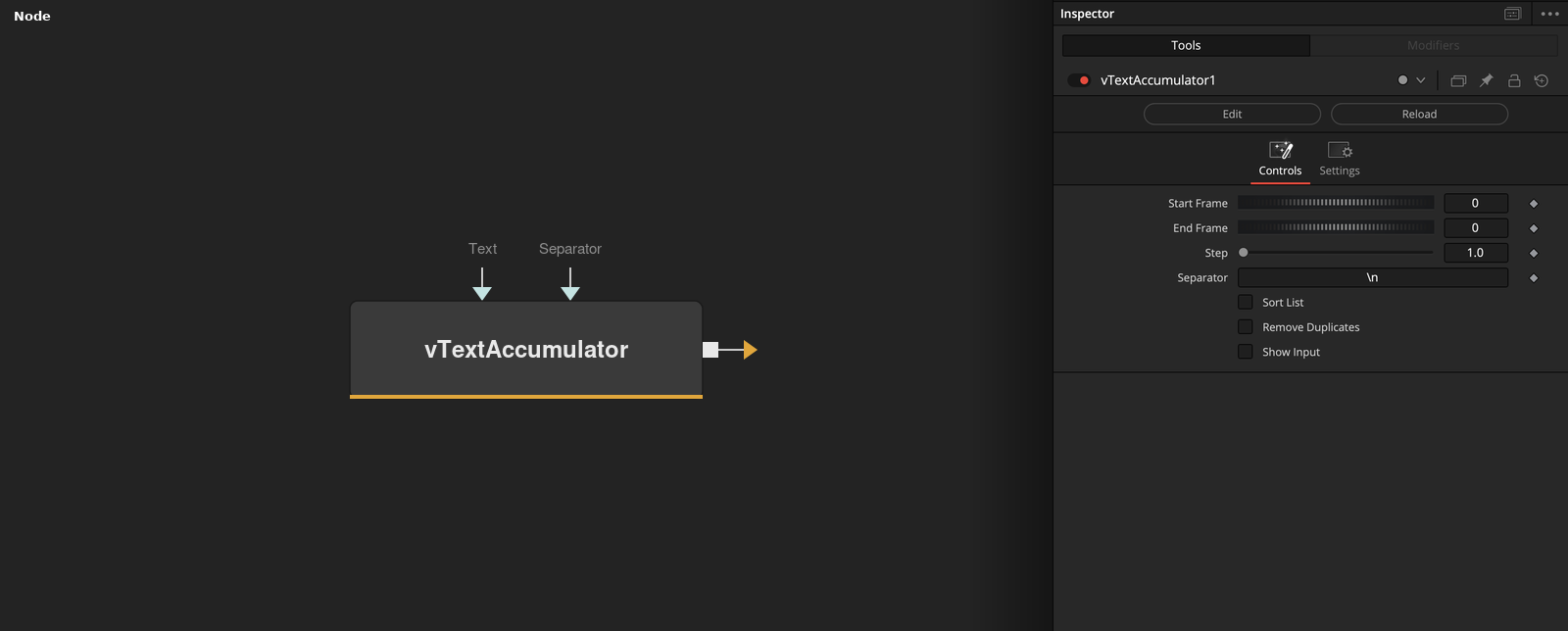
Temporally concatenates a text string over a frame range This node can be thought of as a text based merge node that works across a time range. It can be used to create IFL (image file lists) or other types of results that are built over time by dynamically generated strings of text. The "Start Frame" control will often be driven by a vNumberCompRenderStart or vNumberCompGlobalStart node. The "End Frame" control will often be driven by a vNumberCompRenderEnd or vNumberCompGlobalEnd node. The "Step" control allows for frame skipping to occur. The "Separator" text field is used to define the character placed between each text element that is concatenated (merged) together. You might want to use a separator like a space, a comma, a semicolon, or a newline (\n), return (\r), or a tab (\t). The "Sort List" checkbox works on a line-by-line basis to alphabetically sort the results generated by the node. The "Remove Duplicates" checkbox can be used to remove any lines that have an identical output that pre-exists in the results. The counterpoint to the vTextAccumulator node is the vTextReadLine node that can break apart a multi-line text block into single line elements. If you want to stop a vTextAccumulator node from re-rendering on subsequent frames in the Fusion timeline, you can add a "vTextTimeSpeed" node right afterwards and set the Speed to 0 and the Delay to 0.
Core / TextText
Parameters
| Parameter | Type | Default | Description |
|---|
| Text | Text | — | The text string to append on each frame in the range. |
| Start Frame | Integer | 0 | First frame of the accumulation range — often driven by vNumberCompRenderStart or vNumberCompGlobalStart. |
| End Frame | Integer | 0 | Last frame of the accumulation range — often driven by vNumberCompRenderEnd or vNumberCompGlobalEnd. |
| Step | Float | 1 | Frame increment — raise it to skip frames within the range. |
| Separator | Text | \n | Character(s) placed between each accumulated line, e.g. a newline, comma, or tab. |
+3 more parameters
| Parameter | Type | Default | Description |
|---|
| Sort List | Integer | 0.0 | Alphabetically sorts the accumulated lines. |
| Remove Duplicates | Integer | 0.0 | Drops any accumulated line that duplicates one already in the results. |
| Show Input | Integer | 0.0 | Reveals the wire for the Text connection in the Flow view. |