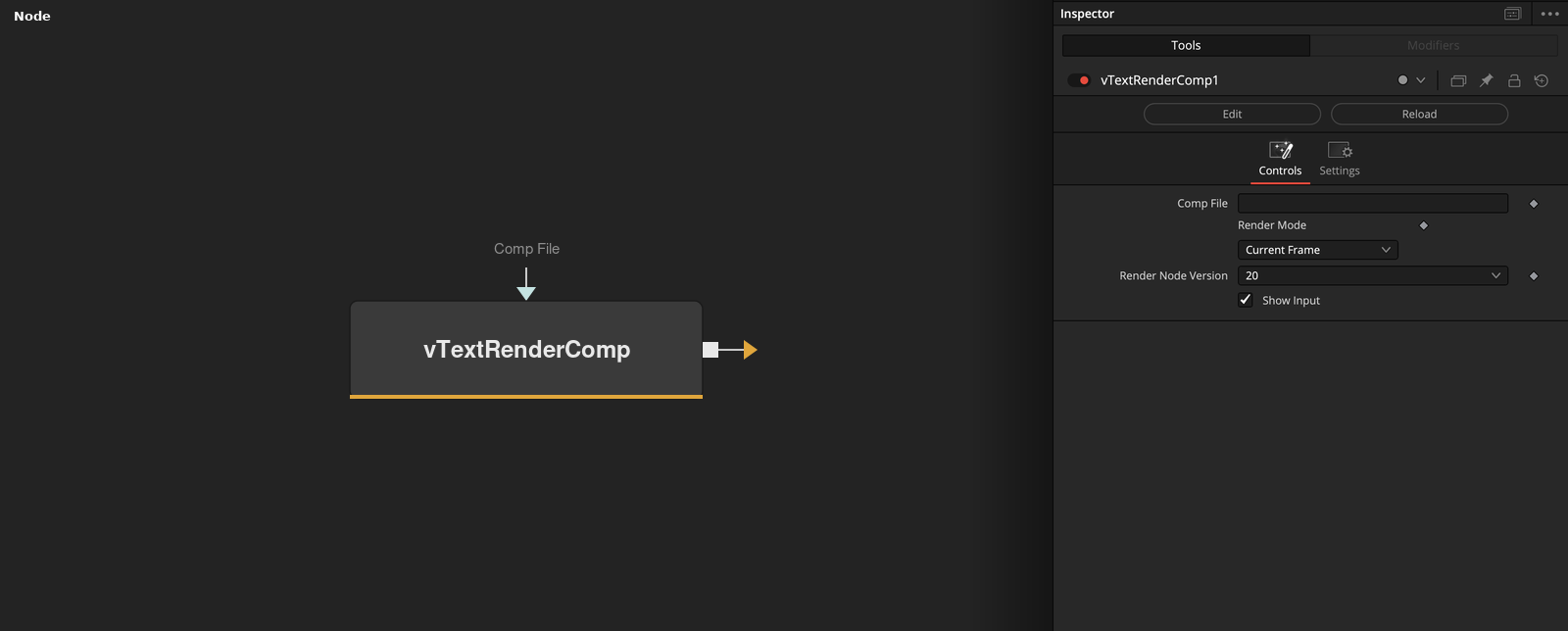
Launches a command-line Fusion Render Node based .comp or .dfq process via popen This node currently works on macOS and Linux. Windows support is a WIP task that is yet to be completed. The Fusion composite specified in the "Comp File" field will be batch rendered in the background by the Fusion Render Node executable. The "Render Mode" control allows you to adjust how the composite will be rendered. If "Current Frame" is selected, the parent comp's current frame will be passed to the Fusion Render Node program as the frame to render in the child comp. If "Comp Frame Range" is selected, the parent comp's Render Start - Render End frame range will be sent to the Fusion Render Node program as the frame range to render in the child comp. If "Comp Frame Range" is selected, the parent comp's Render Start - Render End frame range will be sent to the Fusion Render Node program as the frame range to render in the child comp. If "Custom Frame Range" is selected, a set of numerical input controls will be displayed. These controls allow you to manually drive the frame range used by the Fusion Render Node program on the fly. The "Render Node Version" control allows you to choose the exact Fusion Render Node executable version number you would like to launch when the .comp file is rendered. This allows you the flexibility to target a different Fusion Render node release than you are using to run the GUI session inside of Fusion Studio.
Core / TextText
Parameters
| Parameter | Type | Default | Description |
|---|
| Comp File | Text | — | Path to the .comp or .dfq file to batch render via popen. |
| Render Mode | Dropdown | Current Frame | Which frame range gets rendered — the parent comp's current frame, its full Render Start/End range, or a manually entered Custom Frame Range. |
| Start Frame | Integer | 0 | First frame to render, used when Render Mode is Custom Frame Range. |
| End Frame | Integer | 0 | Last frame to render, used when Render Mode is Custom Frame Range. |
| Step | Integer | 1 | Frame increment applied when rendering the range. |
+2 more parameters
| Parameter | Type | Default | Description |
|---|
| Render Node Version | Dropdown | 20 | Which installed Fusion Render Node executable version to launch. |
| Show Input | Integer | 1.0 | Reveals the wire for the Comp File connection in the Flow view. |