vMTLXUsdPreviewSurface
Creates a UsdPreviewSurface material description
Core / MTLXMTLX
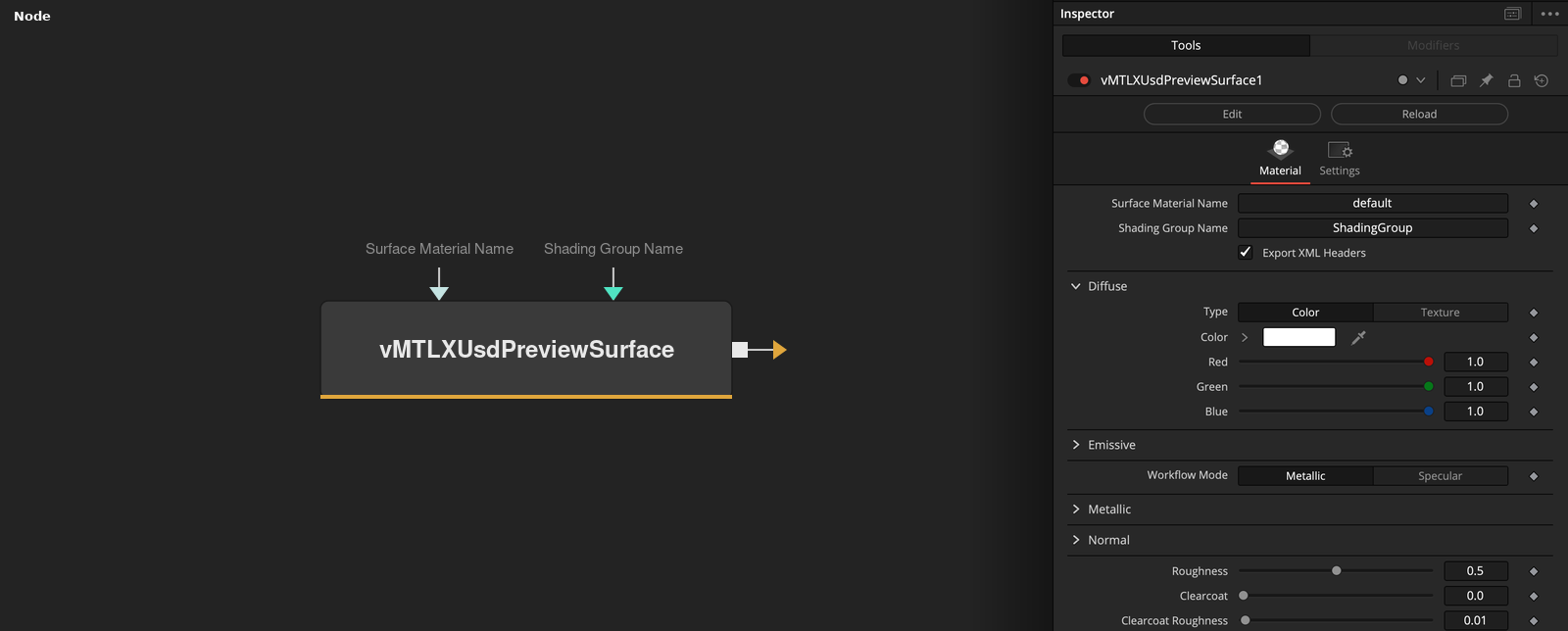
Parameters
| Parameter | Type | Default | Description |
|---|---|---|---|
| Surface Material Name | Text | — | Name assigned to this UsdPreviewSurface material in the exported MaterialX XML. |
| Shading Group Name | Text | — | Name of the shading group/binding the material is assigned to in the exported XML. |
| Export XML Headers | Integer | 1.0 | Includes the MaterialX XML declaration and namespace headers in the output. Turn off when merging this material's XML into a larger document via vMTLXMerge. |
| Type | Dropdown | Color | Diffuse colour source — a flat Color using the RGB sliders below, or a Texture map. |
| Red | Float | 1.0 | Red channel of the diffuse colour (0–1). Used when the diffuse Type above is Color. |
+24 more parameters
| Parameter | Type | Default | Description |
|---|---|---|---|
| Green | Float | 1.0 | Green channel of the diffuse colour (0–1). Used when the diffuse Type is Color. |
| Blue | Float | 1.0 | Blue channel of the diffuse colour (0–1). Used when the diffuse Type is Color. |
| Type | Dropdown | Color | Emissive (self-illumination) colour source — a flat Color using the RGB sliders below, or a Texture map. |
| Red | Float | 0.0 | Red channel of the emissive colour (0–1). Used when the emissive Type above is Color. |
| Green | Float | 0.0 | Green channel of the emissive colour (0–1). Used when the emissive Type is Color. |
| Blue | Float | 0.0 | Blue channel of the emissive colour (0–1). Used when the emissive Type is Color. |
| Workflow Mode | Dropdown | Metallic | Selects the PBR workflow: Metallic (metalness + base colour) or Specular (explicit specular colour). Reveals the matching controls below. |
| Metallic | Float | 0.0 | Metalness value (0–1). Metallic workflow only. |
| Mode | Dropdown | Color | Specular colour source — a flat Color using the RGB sliders below, or a Texture map. Specular workflow only. |
| Red | Float | 0.5 | Red channel of the specular colour (0–1). Specular workflow, Color mode only. |
| Green | Float | 0.5 | Green channel of the specular colour (0–1). Specular workflow, Color mode only. |
| Blue | Float | 0.5 | Blue channel of the specular colour (0–1). Specular workflow, Color mode only. |
| Type | Dropdown | Color | Surface normal source — a flat Color (a uniform, unperturbed normal) or a Texture normal map. |
| Red | Float | 0.0 | Red channel of the normal colour (0–1). Used when the normal Type above is Color. |
| Green | Float | 0.0 | Green channel of the normal colour (0–1). Used when the normal Type is Color. |
| Blue | Float | 1.0 | Blue channel of the normal colour (0–1). Used when the normal Type is Color — 1.0 (pointing straight out) is the default flat normal. |
| Roughness | Float | 0.5 | Surface roughness (0–1) — 0 is a mirror finish, 1 is fully matte. |
| Clearcoat | Float | 0.0 | Strength of an additional clear coat layer over the base material (0–1). |
| Clearcoat Roughness | Float | 0.01 | Roughness of the clear coat layer (0–1), independent of the base Roughness. |
| Opacity | Float | 1.0 | Overall surface opacity (0–1). |
| Opacity Threshold | Float | 0.0 | Cutoff below which the surface is fully discarded rather than alpha-blended, for cutout-style materials. 0 disables cutout and uses regular blending. |
| Index of Refraction | Float | 1.5 | Index of refraction used for the material's transmission/specular response. 1.5 approximates common glass or plastic. |
| Displacement | Float | 0 | Displacement amount applied along the surface normal. |
| Occlusion | Float | 0 | Ambient occlusion factor (0–1) baked into the material. |