vCryptomatte
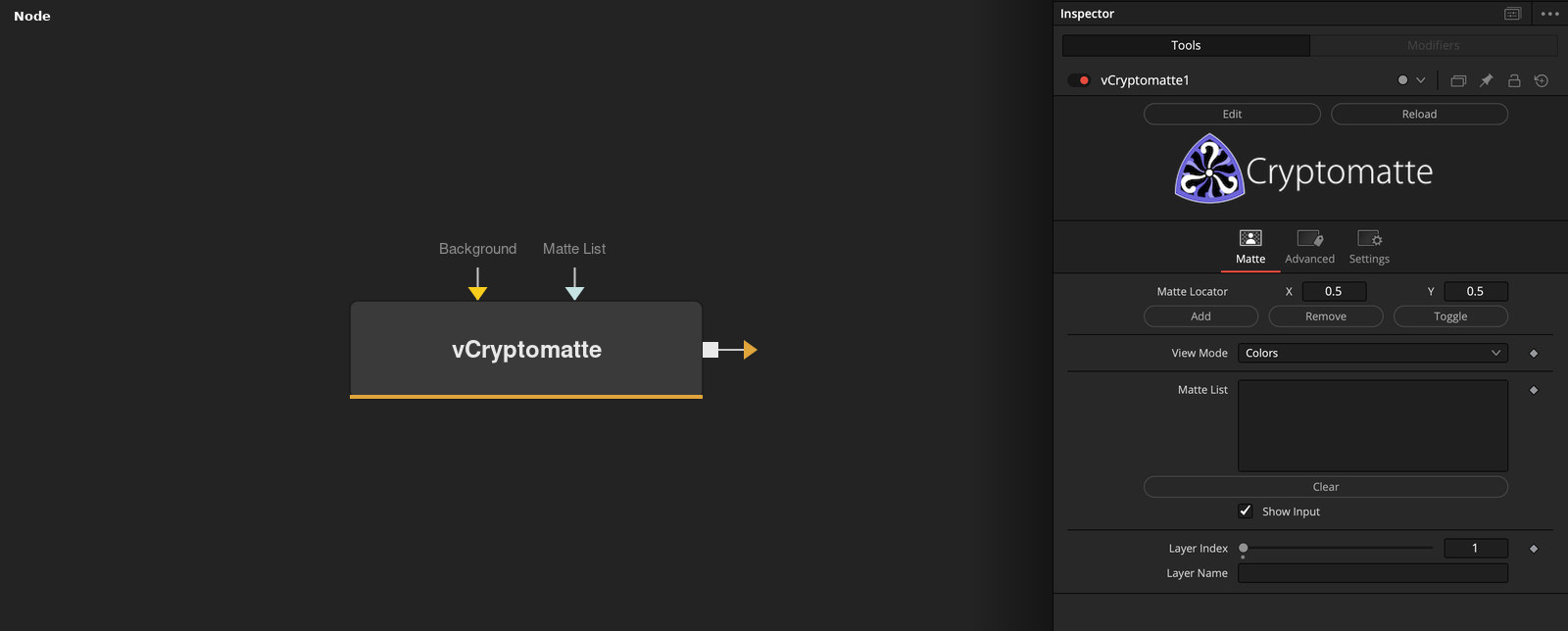
This node is a version of the Cryptomatte fuse that supports an exposed Text data type based input connection to the "Matte List". This is handy if you want to use the Vonk JSON + Metadata + Array features to create technical animations that browse through every matte element stored in the image's manifest records.
Core / ImageImage
Parameters
| Parameter | Type | Default | Description |
|---|---|---|---|
| name | Float | — | A UI separator, not a real setting — its label wasn't captured correctly because the source fuse builds separators through a shared helper function that names them with a variable instead of a literal string. Safe to ignore. |
| Input | Image | — | Rendered image carrying the Cryptomatte manifest and ID channels to key from. |
| Matte Locator | Point | — | Pick a pixel in the viewer here — the object under that pixel is the one Add/Remove/Toggle/Show/Hide act on. |
| Add | Float | — | Adds the object at Matte Locator to the current matte selection. |
| Remove | Float | — | Removes the object at Matte Locator from the current matte selection. |
+14 more parameters
| Parameter | Type | Default | Description |
|---|---|---|---|
| Toggle | Float | — | Adds the object at Matte Locator if it's not already selected, or removes it if it is. |
| View Mode | Dropdown | 0.0 | Viewer overlay mode: Colors (random ID colours), Edges (object outlines), Beauty (the plain Input image), or Matte (the current selection as a greyscale matte). |
| Matte List | Text | — | The selected object names, as a comma-separated list — the Vonk-specific addition over stock Cryptomatte, letting this be driven or read by Text/JSON/Array nodes instead of only the built-in picker UI. |
| Clear | Integer | — | Empties the current matte selection. |
| Show Input | Integer | 1.0 | Reveals the wire for the Input connection in the Flow view. |
| Layer Index | Integer | — | Which Cryptomatte layer to key from, by index, when an image has more than one (e.g. crypto_object, crypto_material). |
| Layer Name | Text | — | Which Cryptomatte layer to key from, by name — an alternative to Layer Index. |
| Locator Name Checker | Point | — | Diagnostic pixel probe — hover here to check which object name a given pixel resolves to, without changing the matte selection. |
| Show | Float | — | Reveals the object at Matte Locator without changing the matte selection — a preview button. |
| Hide | Float | — | Hides the object at Matte Locator without changing the matte selection — a preview button. |
| Matte Name | Text | — | Read-only display of the object name currently under Matte Locator. |
| Add Callback | Integer | 0.0 | Internal flag set by the Add button above and cleared once processed — not meant to be toggled manually. |
| Remove Callback | Integer | 0.0 | Internal flag set by the Remove button above and cleared once processed — not meant to be toggled manually. |
| Toggle Callback | Integer | 0.0 | Internal flag set by the Toggle button above and cleared once processed — not meant to be toggled manually. |