vImageFromNet
Reads an Image object from a network URL The "Input" control is used to define the image URL such as an http://, https://, or file:/// based resource. The URL can be driven externally by a Text data type connection to the node. The "File Type" ComboBox control helps Fusion decode the exact type of content being downloaded when the media is loaded into the Fusion viewer window context. An example image you can use to test this node is an Eastern Canada weather satellite URL: https://weather.gc.ca/data/satellite/goes_ecan_1070_100.jpg
Core / ImageImage
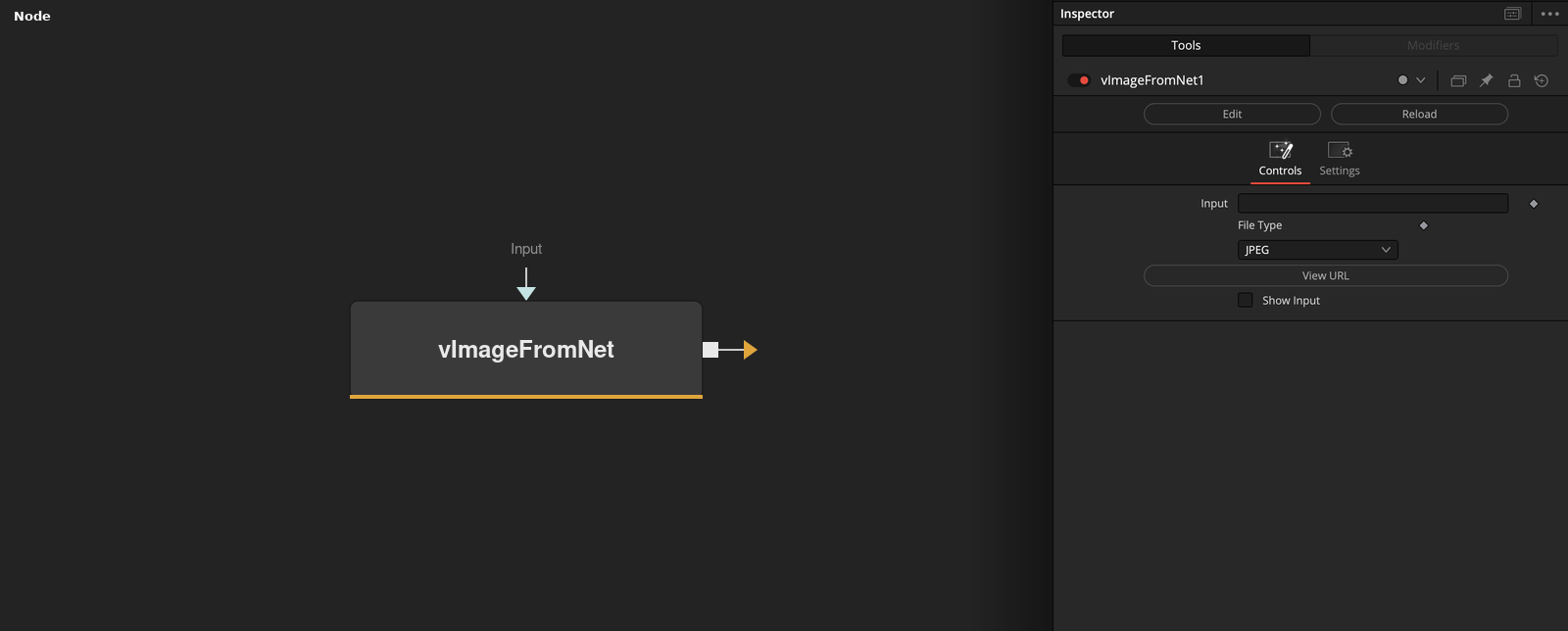
Parameters
| Parameter | Type | Default | Description |
|---|---|---|---|
| Input | Text | — | Image URL to download (http://, https://, or file:///). Can be driven externally by a Text data type connection. |
| File Type | Dropdown | JPEG | Format of the downloaded content, so Fusion decodes it correctly: JPEG, PNG, BMP, EXR, FUSEPIC, RAW, TGA, TIFF, PSD, MP4, or MOV. |
| View URL | Float | — | Opens Input's URL in the system's default web browser, for a quick sanity check of the source. |
| Show Input | Integer | 0.0 | Reveals the wire for the Input connection in the Flow view. |