vGuideShape
Create a new guide element
Core / GuideGuide
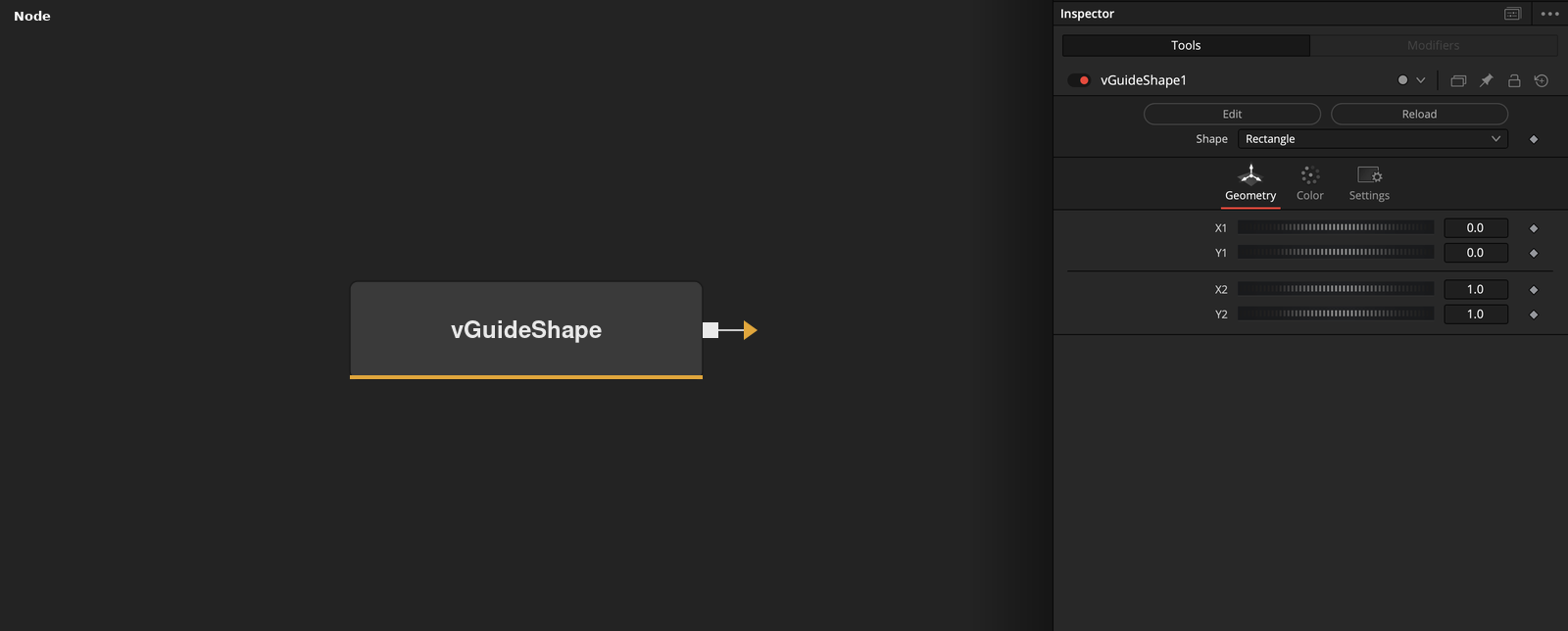
Parameters
| Parameter | Type | Default | Description |
|---|---|---|---|
| Shape | Dropdown | Rectangle | Selects the guide element to generate. Rectangle draws a bordered, fillable box; VLine and HLine draw a single vertical or horizontal line; Grid draws a full grid of evenly spaced lines using H Subdiv/V Subdiv. Each mode reveals only the controls it needs. |
| X1 | Float | 0 | Left edge of the rectangle, or the position of a vertical line, as a 0–1 fraction of frame width. Rectangle and VLine modes. |
| Y1 | Float | 0 | Top edge of the rectangle, or the position of a horizontal line, as a 0–1 fraction of frame height. Rectangle and HLine modes. |
| X2 | Float | 1 | Right edge of the rectangle, as a 0–1 fraction of frame width. Rectangle mode only. |
| Y2 | Float | 1 | Bottom edge of the rectangle, as a 0–1 fraction of frame height. Rectangle mode only. |
+18 more parameters
| Parameter | Type | Default | Description |
|---|---|---|---|
| H Subdiv | Float | 1 | Number of vertical grid lines. Grid mode only. |
| V Subdiv | Float | 1 | Number of horizontal grid lines. Grid mode only. |
| Line Pattern | Integer | 49344 | Stipple pattern for the line, encoded as a 16-bit mask (0–65535). The default draws a dashed line; 65535 (all bits set) draws solid. |
| Red | Float | 1.0 | Red channel of the line colour (0–1). |
| Green | Float | 0.75 | Green channel of the line colour (0–1). |
| Blue | Float | 0.05 | Blue channel of the line colour (0–1). |
| Alpha | Float | 1.0 | Alpha (opacity) of the line colour (0–1). |
| Use Alternating Colors | Integer | 0.0 | In Grid mode, alternates between the line colour above and the alternate colour below for successive grid lines. Grid mode only. |
| Alt Line Pattern | Integer | 52428 | Stipple pattern used for alternating grid lines when Use Alternating Colors is on. |
| Red | Float | 1.0 | Red channel of the alternating line colour (0–1). Used when Use Alternating Colors is on. |
| Green | Float | 0.75 | Green channel of the alternating line colour (0–1). Used when Use Alternating Colors is on. |
| Blue | Float | 0.05 | Blue channel of the alternating line colour (0–1). Used when Use Alternating Colors is on. |
| Alpha | Float | 1.0 | Alpha (opacity) of the alternating line colour (0–1). Used when Use Alternating Colors is on. |
| Fill Mode | Dropdown | Inside | Whether the fill colour below is drawn inside or outside the rectangle's border. Rectangle mode only. |
| Red | Float | 0.0 | Red channel of the fill colour (0–1). Rectangle mode only. |
| Green | Float | 0.0 | Green channel of the fill colour (0–1). Rectangle mode only. |
| Blue | Float | 0.0 | Blue channel of the fill colour (0–1). Rectangle mode only. |
| Alpha | Float | 0.0 | Alpha (opacity) of the fill colour (0–1). Rectangle mode only — default is fully transparent. |