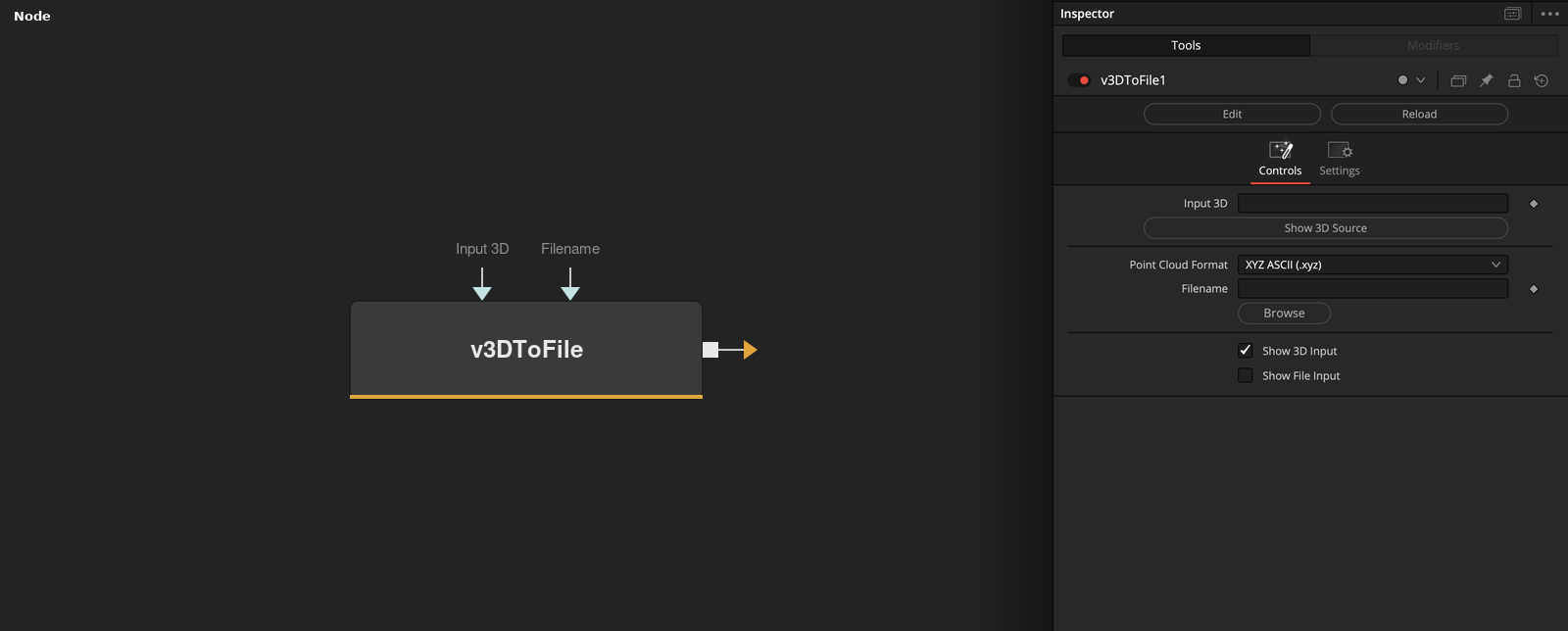
Writes PointCloud3D data from the Fusion 3D node-graph to a file. Connect a PointCloud3D node's output connection directly to the v3DToFile node: PointCloud3D.Output -> v3DToFile.Input The "Input 3D" connection accepts a wireless link style drag-and-drop attachment of a PointCloud3D node. Clicking the "Show 3D Source" button will select the connected upstream node in the Nodes view, which displays the node in the Inspector view. The "Point Cloud Format" ComboControl allows you to select the export format used. Options include: "XYZ ASCII (.xyz)", "PLY ASCII (.ply)", and "PIXAR USDA ASCII (.usda)". The "Filename" text field supports Vonk vText based connections. This allows you to dynamically generate a filename via data node approaches. The Filename field contents can include relative PathMap values like "Comp:/" that will be expanded at render time. If a sub-folder is specified in the filename field, and it is missing at render time, the sub-folders will be re-created automatically when the file is saved to disk. This is helpful if you want to use per--timeline-frame numbered folders in the output filepath.
Core / 3D3D
Parameters
| Parameter | Type | Default | Description |
|---|
| Input 3D | DataType3D | — | PointCloud3D data to export — connect a PointCloud3D node's output directly, or use a wireless link. Hidden until Show 3D Input is enabled. |
| Show 3D Source | Float | — | Selects the connected upstream 3D node in the Nodes view, so it opens in the Inspector. |
| Point Cloud Format | Dropdown | XYZ ASCII (.xyz) | Export file format: XYZ ASCII (.xyz), PLY ASCII (.ply), PIXAR USDA ASCII (.usda), or JSON Array (.json). |
| Filename | Text | — | Destination path for the exported file. Supports Text/vText connections for dynamically generated filenames, and PathMap values like Comp:/. Missing sub-folders are created automatically at render time. |
| Show 3D Input | Integer | 1.0 | Reveals the wire for the Input 3D connection in the Flow view. |
+1 more parameters
| Parameter | Type | Default | Description |
|---|
| Show File Input | Integer | 0.0 | Reveals the wire for the Filename connection in the Flow view, for driving it from a Text node. |